The Access Control Settings page is the hub for everything that decides who may pass through which door, gate, or elevator, and when. Each tile opens one area of the access control configuration. Open it via Configuration > Access Control Settings.
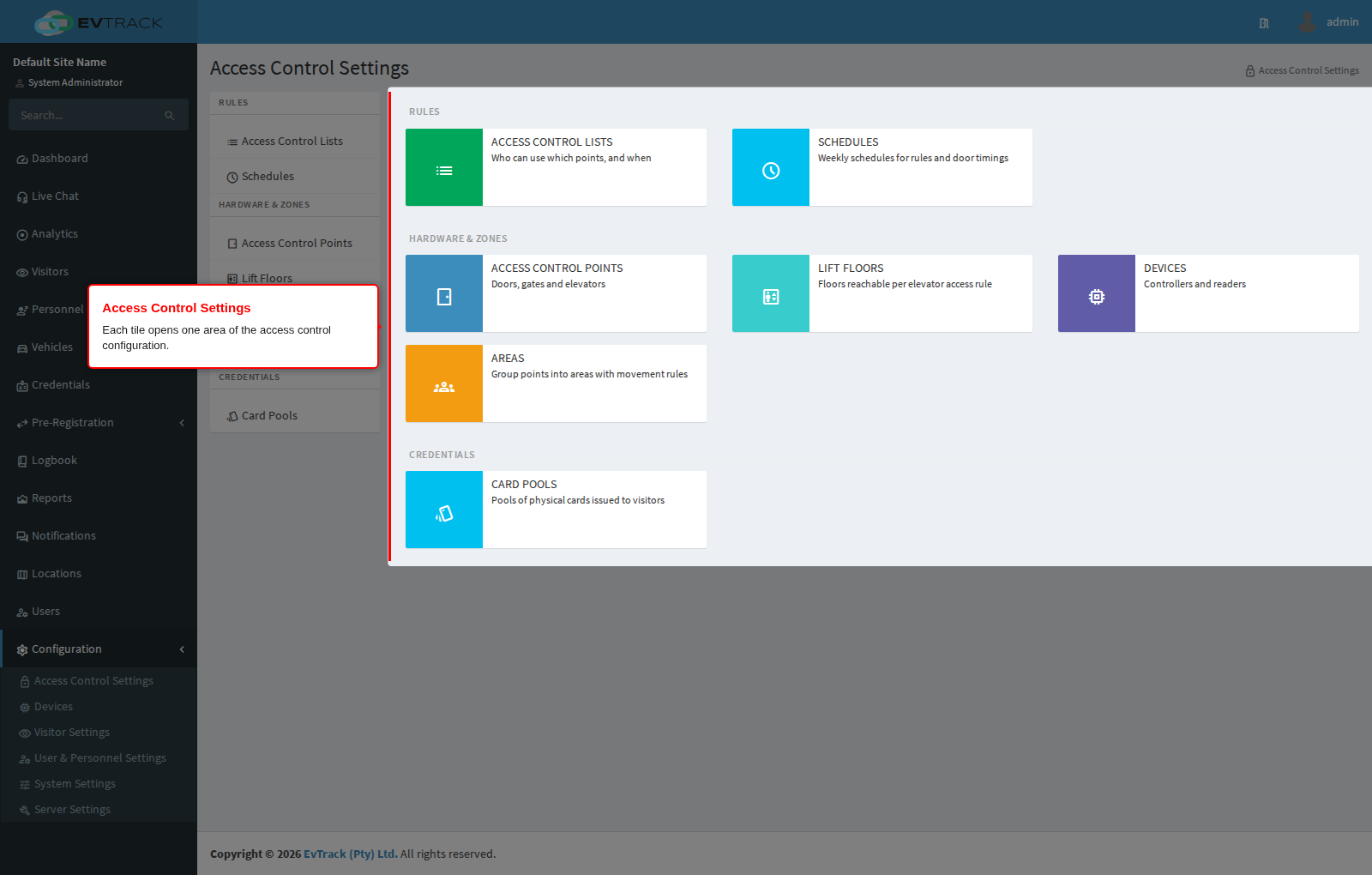
Settings
Rules:
- Access Control Lists - define who can use which access control points, and when. An access control list combines people, points, and schedules into a single permission rule.
- Schedules - weekly time schedules used by access rules and door timings, so access can differ between office hours, after hours, and weekends.
Hardware & Zones:
- Access Control Points - the doors, gates, and elevators the system controls. Each point represents one place where a credential is presented at the checkpoint.
- Elevator Floors - the floors reachable under each elevator access rule, so elevator credentials only unlock the floors a person is entitled to.
- Devices - the controllers and readers connected to the system, and their communication settings.
- Area Restrictions - group access control points into areas and apply movement rules between them, such as anti-passback and occupancy control.
Notes
- The system ships with a default access control point named Visitor ACP, used by the default Visitor ACL access control list that is applied to all new visitor credentials - for a basic visitor flow, edit these defaults rather than starting from scratch.
- An access control point can have several devices associated with it, split across its entry and exit readers.
- Decrease Use Limits On Access (on an access control point) only counts a use down when a relay output or an edge-device event actually fires. Points can also trigger extra automation relay outputs - vehicle booms, turnstiles - on Access Granted events from the EvTrack Guard app, LPR cameras, or QR code readers.
- Each EvTrack Guard device exposes 16 virtual inputs that can be assigned to the entry/exit readers of multiple access control points, so a handheld device can roam between points without being reconfigured.
- Elevator control combines 2N and Axis IP hardware into a multi-floor solution supporting up to 40 floors per elevator. It requires the 2N Lift Control support license and uses Axis A9188 8-way relay modules (cascadable for buildings with more than 8 floors; configure them with their internal/private IP addresses). Floors are then permitted per credential through elevator rules on an access control list. If floors do not switch, first confirm the relay modules show as online and authenticated on the device’s Elevator tab.
Where each tile goes
- Access Control Lists - the lists of points and schedules that credentials carry
- Access Control Points - the doors, gates and barriers themselves, and the readers bound to them
- Schedules - the time windows a list applies in
- Devices - the hardware and apps that read credentials
- Card Pools - batches of physical cards to issue from
- Elevator Floors - floor relays for elevator control
- Area Restrictions - zones for presence tracking, anti pass-back and roll call