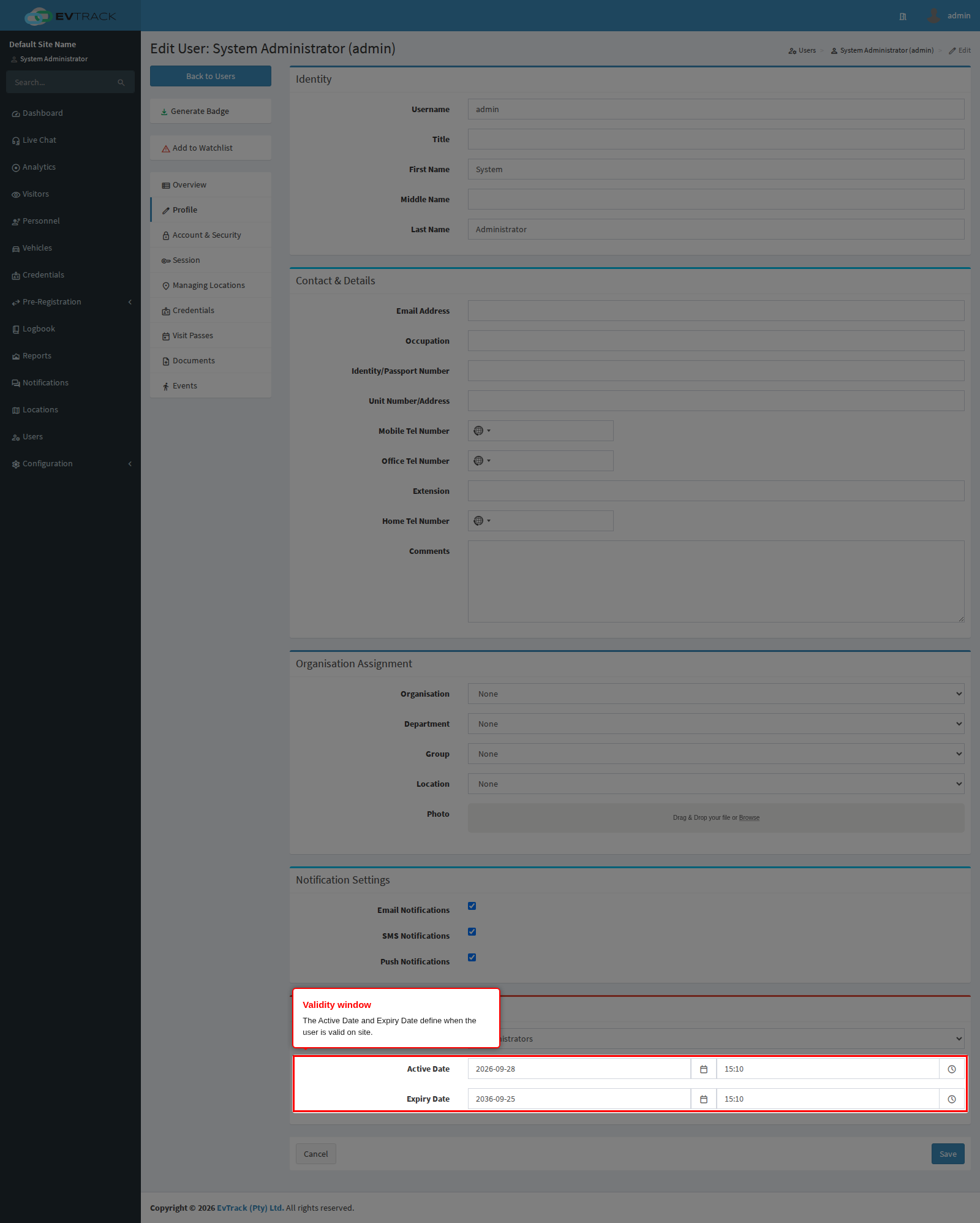
System users (operators, hosts, administrators) carry the same Active Date / Expiry Date validity window as personnel, set on the user’s edit page. Credentials issued to a user inherit this window.
The validity panel
Open Users in the sidebar, search for the user and click their name, then switch to the Profile tab. The validity panel holds the Active Date and Expiry Date (date and time). Adjust the dates and click Save - the updated window is stored and shown on the user’s record.
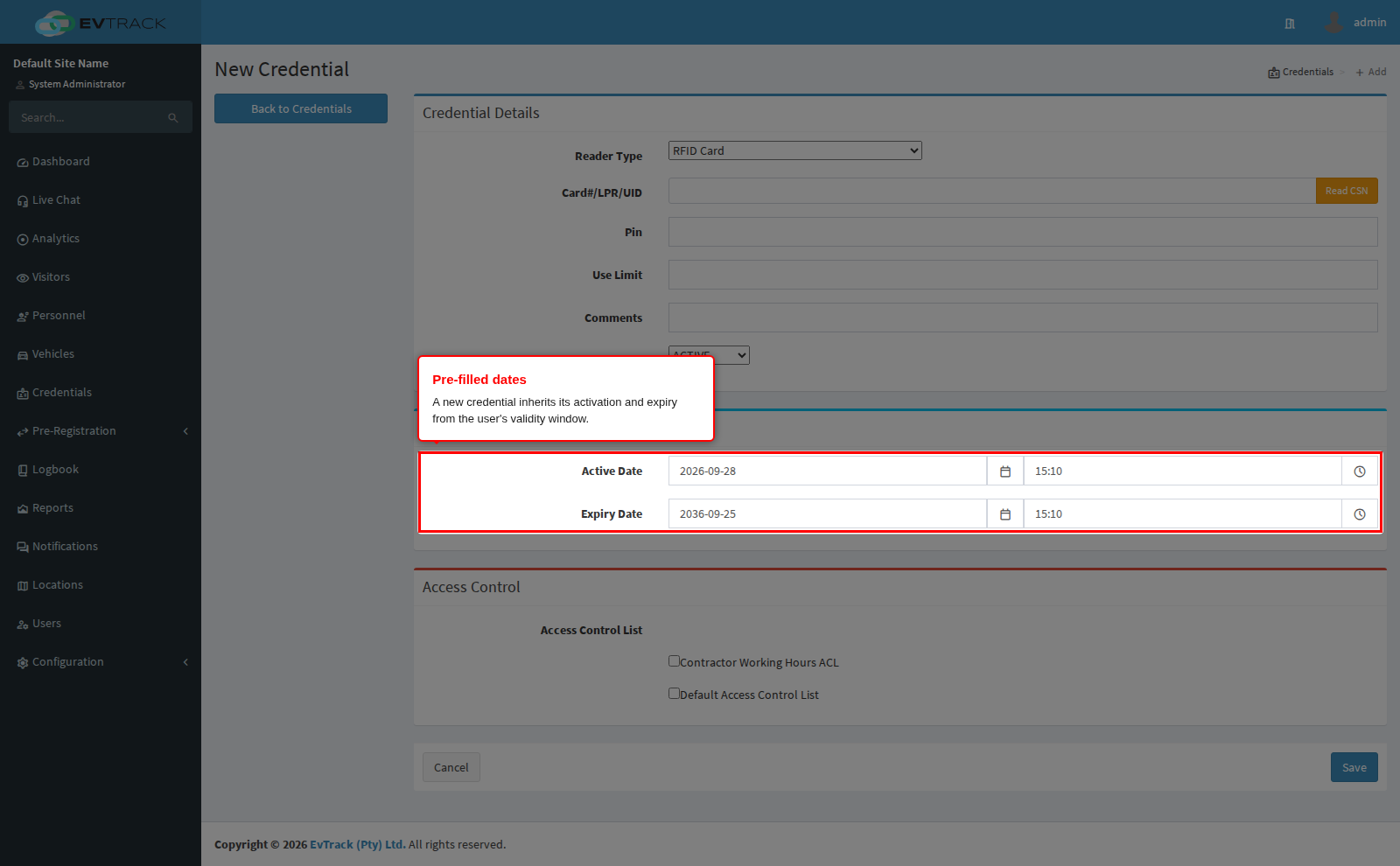
Credential inheritance
Open the user’s Credentials tab and click Add: the new credential form opens with its activation and expiry pre-filled from the user’s dates - issue cards without re-typing windows, and shorten a specific credential only when needed.
The lifecycle behaviour is identical to personnel credentials: a future-dated credential is Valid until its window opens and then switches to Active automatically, an expired credential is denied with an “expired” result at the reader, and one presented before its activation with a “not valid yet” result. The full credential lifecycle diagram, covering every status and every route between them, is on Personnel Validity and Credential Expiry and applies to user credentials unchanged.
See also: RFID Card Credentials (Users) and Access Control Lists for why a reader refuses a credential.