The User Registration Page settings control the presentation of the public self-registration form itself - the text registrants see when they open the form. Open it via Configuration > User & Personnel Settings > Self-Registration, then the Page tab.
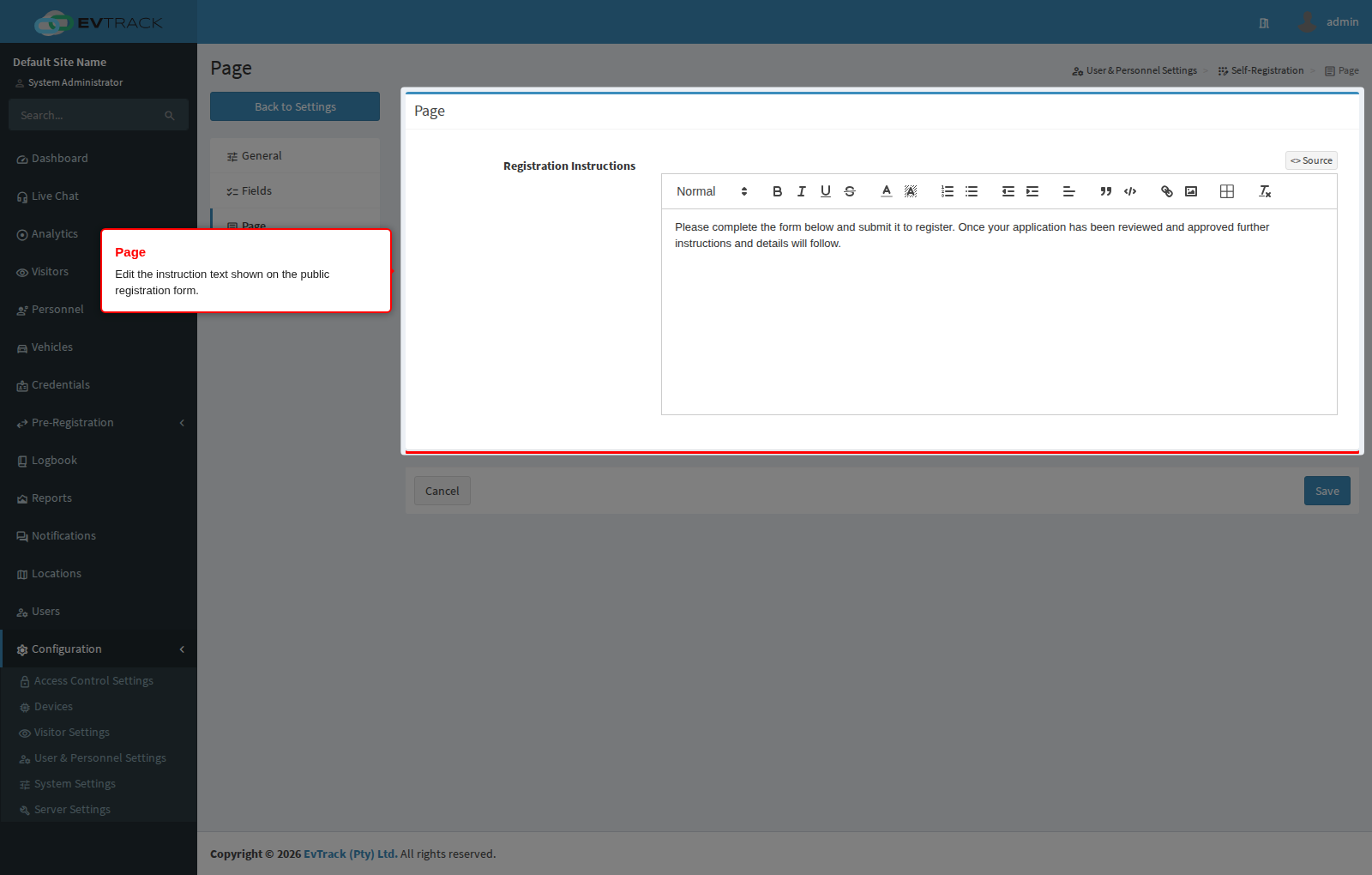
Settings
- Registration Instructions - a rich-text editor for the instruction text shown on the public registration form. Use it to welcome registrants, explain which documents they should have ready, and set expectations about how their registration will be processed; formatting such as headings, bold text, and lists is preserved on the public page.
Click Save to apply your changes, or Cancel to discard them.