This guide covers text-message delivery end to end: the gateway, the per-message templates, WhatsApp, and when each channel is used. The Instant Messaging page is the field-by-field reference.
Step 1: Open the SMS panel in Server Settings
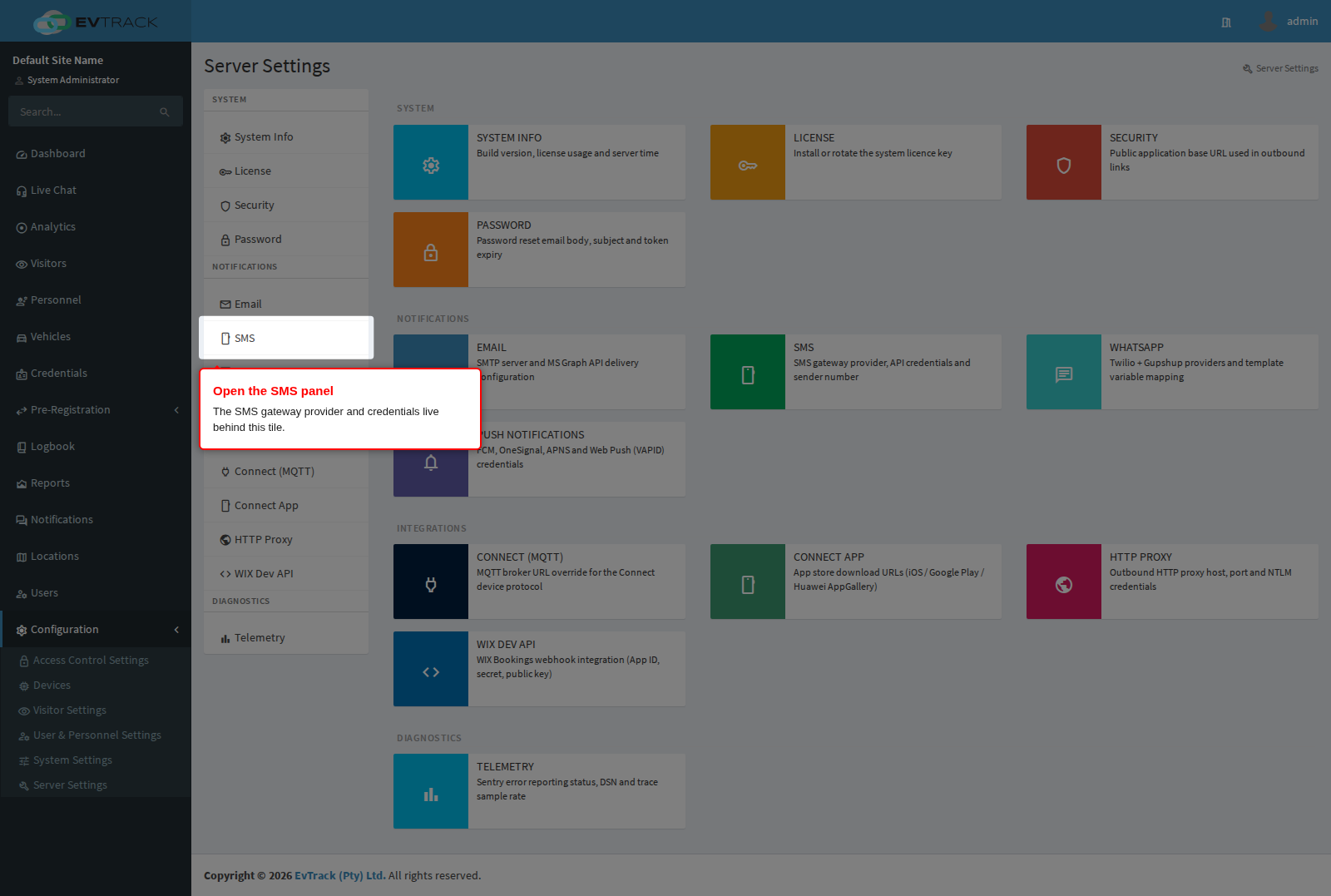
Open Configuration > Server Settings. The landing page shows a tile per panel - the SMS tile (under Notifications) holds the gateway provider credentials, and the WhatsApp tile its provider configuration where licensed. Click the SMS tile.
Step 2: Configure the gateway
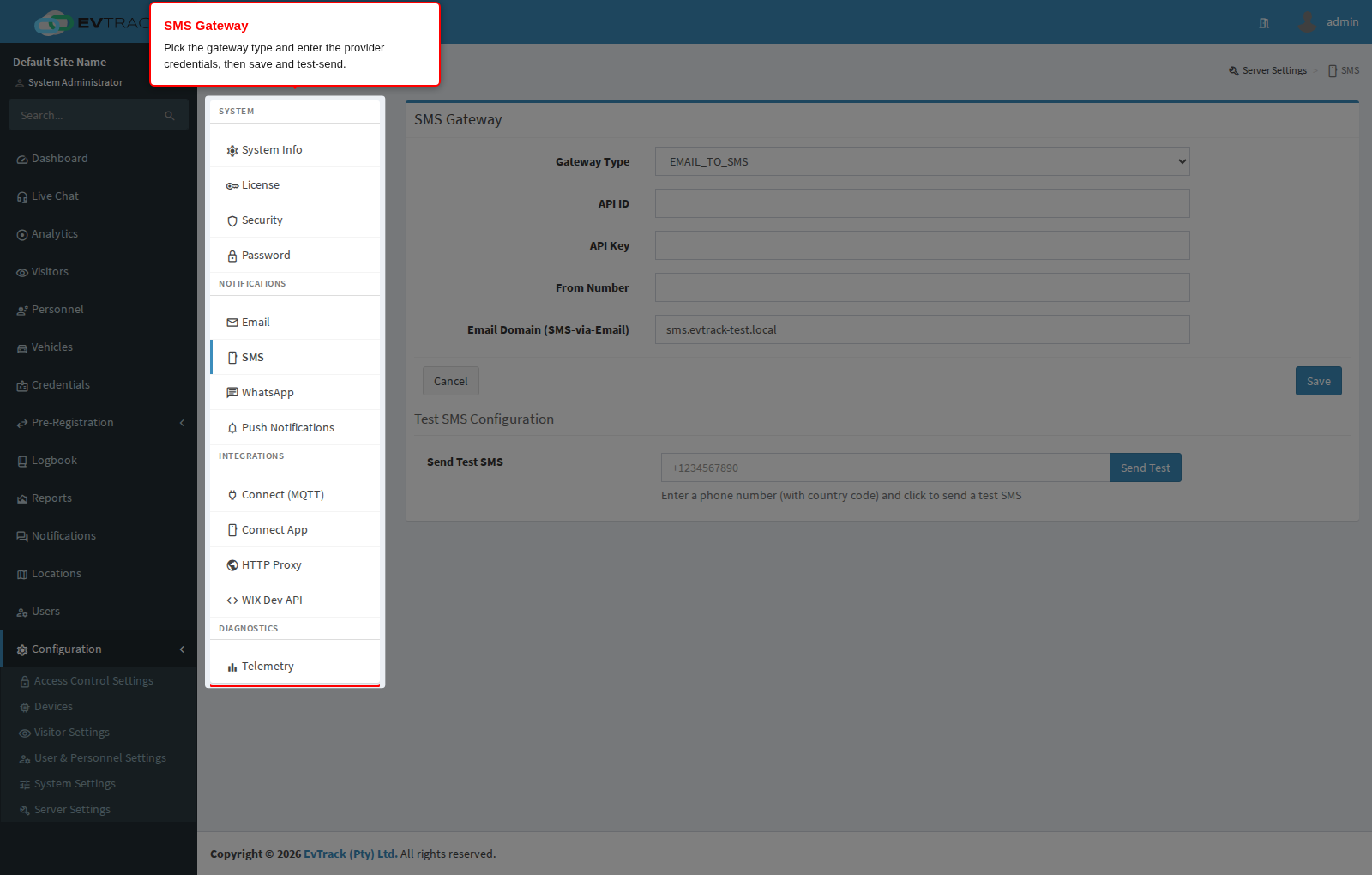
Choose the Gateway Type and enter the provider’s credentials, then save. Use the test-send action after saving to verify delivery - the page confirms with a success banner.
Step 3: Author the message templates
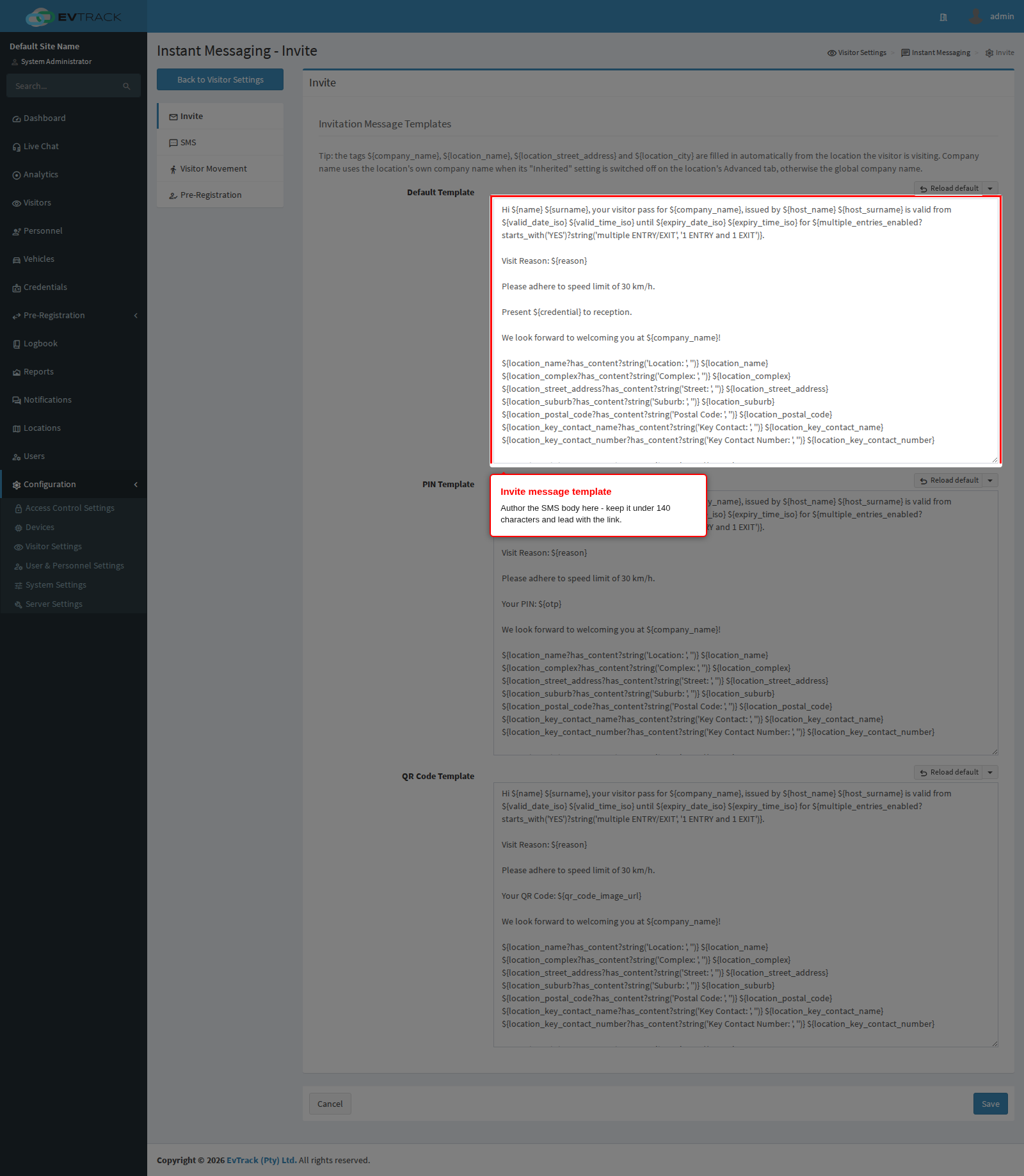
Templates live under Visitors > Settings > Instant Messaging, one tab per message type (invite, pre-registration, movement notifications and more). Two rules shape good SMS templates:
- Keep it under 140 characters - the template fields enforce this limit so messages fit a single SMS segment; merge-tag values count toward the limit, so budget for long names and links.
- Lead with the link - the pass link (
${qr_code_image_url}, served as a shorthttps://axqr.me/...URL) is the actionable part; put it early in case a handset truncates the preview.
Merge tags work exactly as in emails - including ${directionAction} for movement messages, which renders the entry/exit direction. See Merge Tags. Two SMS-specific behaviours to design around: line breaks are removed from the merged message, and non-standard characters (including accented letters) are converted or dropped by the gateway pipeline - keep SMS wording short and ASCII-simple, and never use the HTML tags (${qr_code_button}, ${img_logo_tag}) in SMS templates.
Where a WhatsApp provider is configured, passes and codes can be delivered over WhatsApp - including the QR code itself as media, which SMS cannot carry. WhatsApp does not use ${...} merge tags: business templates are pre-approved by the provider and carry numbered variables, and EvTrack maps each variable to a source value (visitor name, company, start and end dates, access type, reason, location, credential link) on the WhatsApp panel under Configuration > Server Settings. WhatsApp dates render as dd-MM-yyyy and times as HH:mm. The share page on every generated pass also offers one-tap WhatsApp sharing.
Which channel is used when
Delivery follows the visitor’s captured contact details and your settings: email is the default rich channel (QR image, attachments); SMS is the fallback and reach-anyone channel (link-based, 140 characters); WhatsApp combines reach with rich content where licensed. The share page on a generated pass always offers all enabled channels manually.