The Webhook integration pushes EvTrack events to any HTTP endpoint you control - visit lifecycle events (registered, approved, checked-in, checked-out, cancelled) are delivered as JSON payloads, letting you build custom automations without polling the API.
Prerequisites
- An HTTPS endpoint you control that accepts POST requests
- Optionally, an HMAC key for verifying payload signatures
Step 1: Add the integration
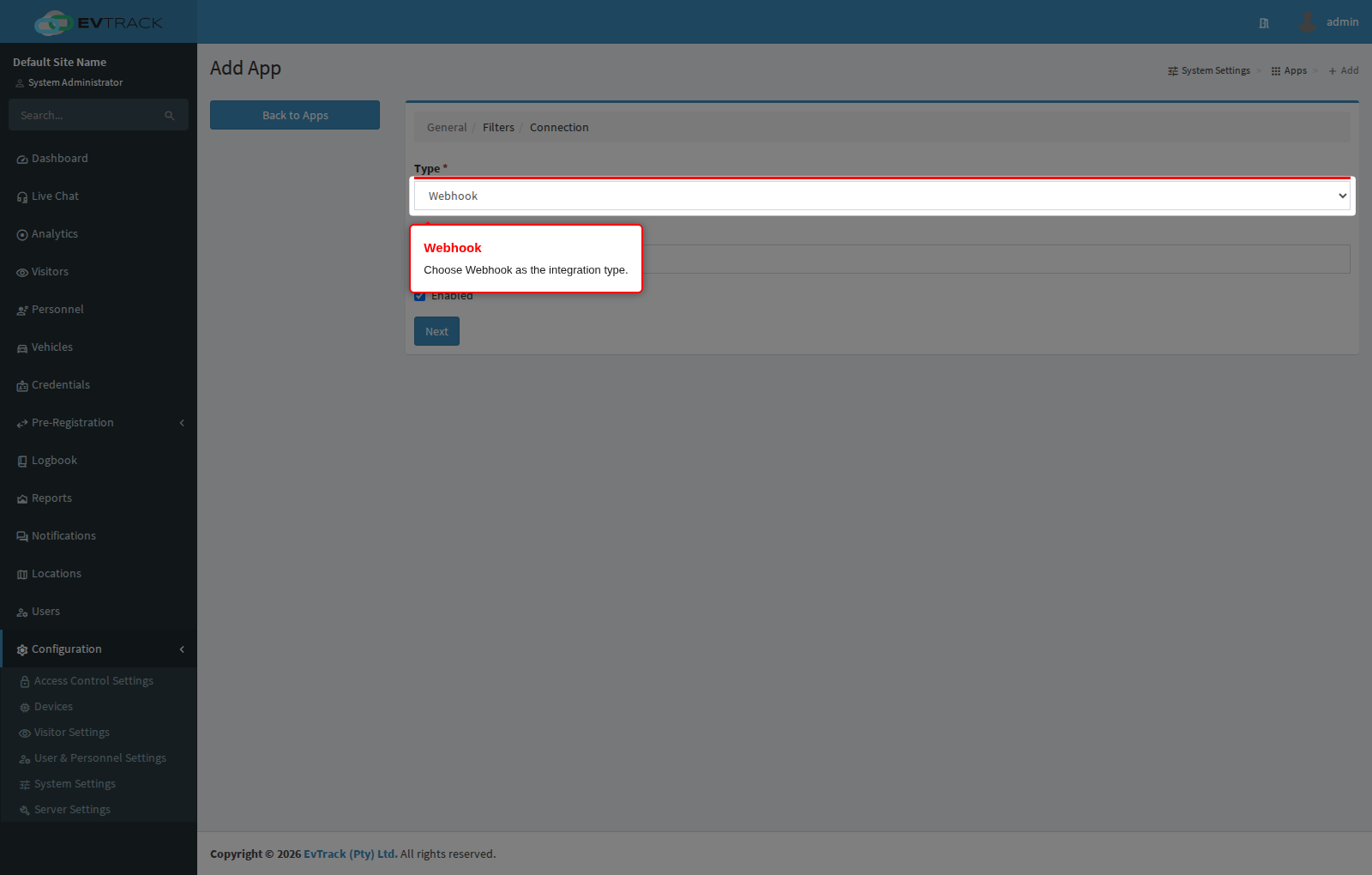
Open Configuration > System Settings > Apps and click Add, then choose Webhook from the integration catalogue.
Step 2: Configure the endpoint
Give the integration a name, then provide a target URL for each event you want delivered - visit created, check-in, check-out, updated, no-show, cancelled and denied. An HMAC Key (with a Generate button) signs the payloads, and optional encryption settings protect them in transit.
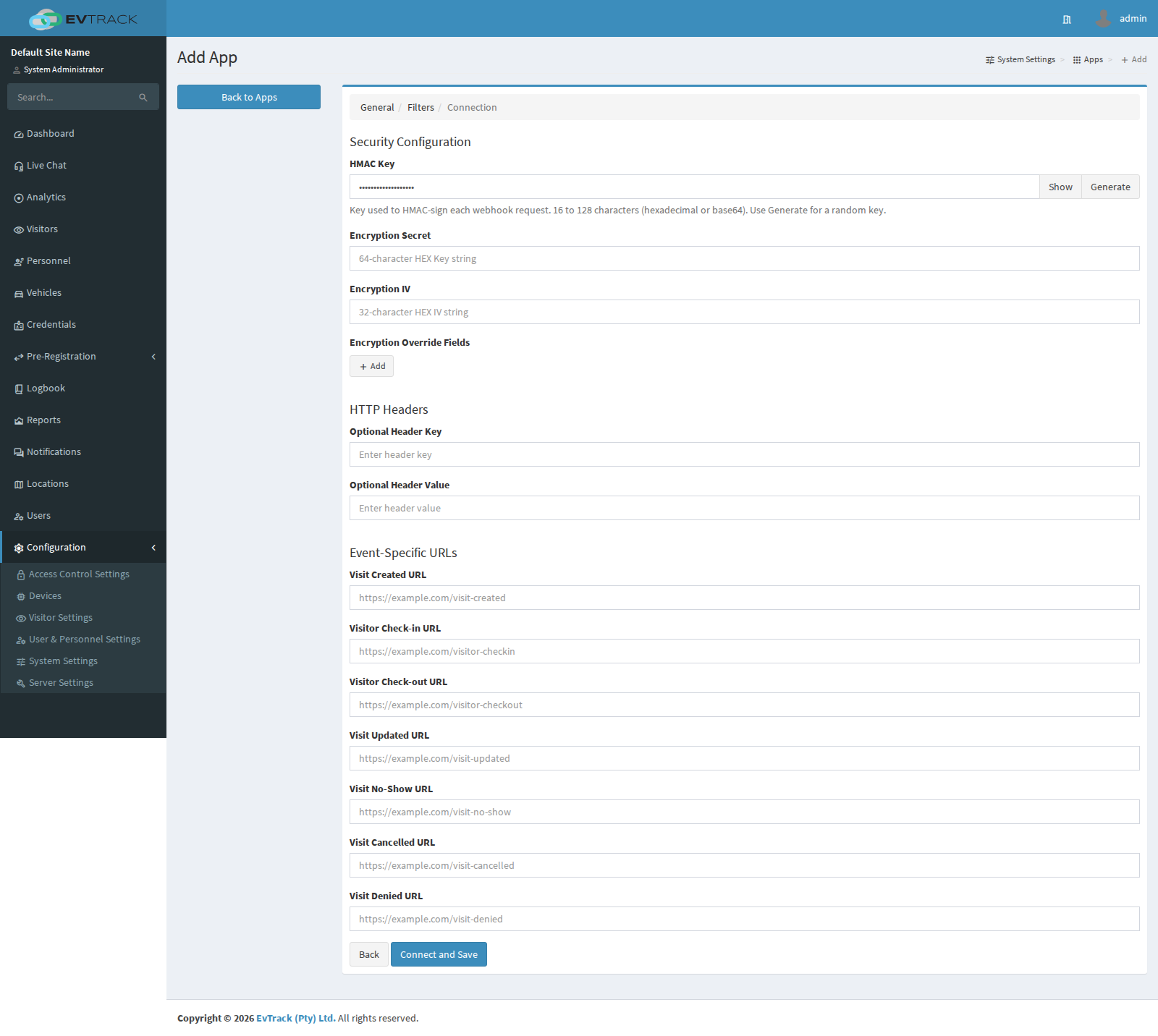
Note: When an HMAC key is configured, every request carries an
X-Evtrack-Hmac-Sha256signature header and anX-Evtrack-Hmac-Timestampheader so your endpoint can verify integrity and reject stale (replayed) requests. If your endpoint requires its own authentication - Basic Auth or a JWT bearer token - add it under Optional HTTP Headers and it is included on every request.
Payload formats, signature verification and the full event catalogue are documented in the API > Webhooks section.