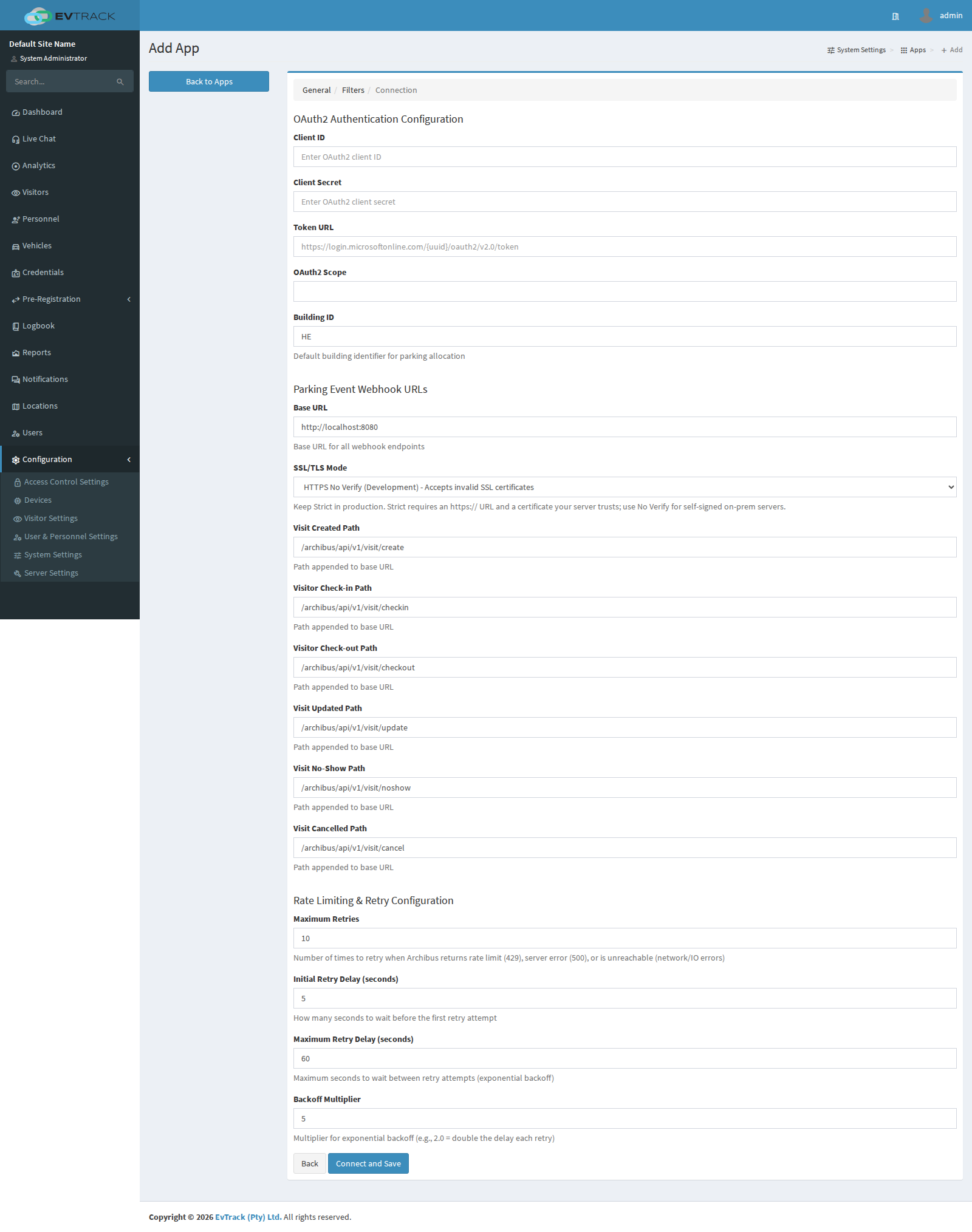
EvTrack integrates with the Archibus Custom Visitor Module: visit events are pushed to Archibus so workplace bookings and visitor records remain aligned between the two systems.
Prerequisites
- A reachable Archibus instance with the custom visitor module Web Services endpoint
- An OAuth2 client ID and secret (plus the token URL) for EvTrack
- Network access from the EvTrack server to the Archibus server (HTTPS)
Step 1: Add the integration
Open Configuration > System Settings > Apps and click Add, then choose Archibus Custom Visitor Module from the integration catalogue.
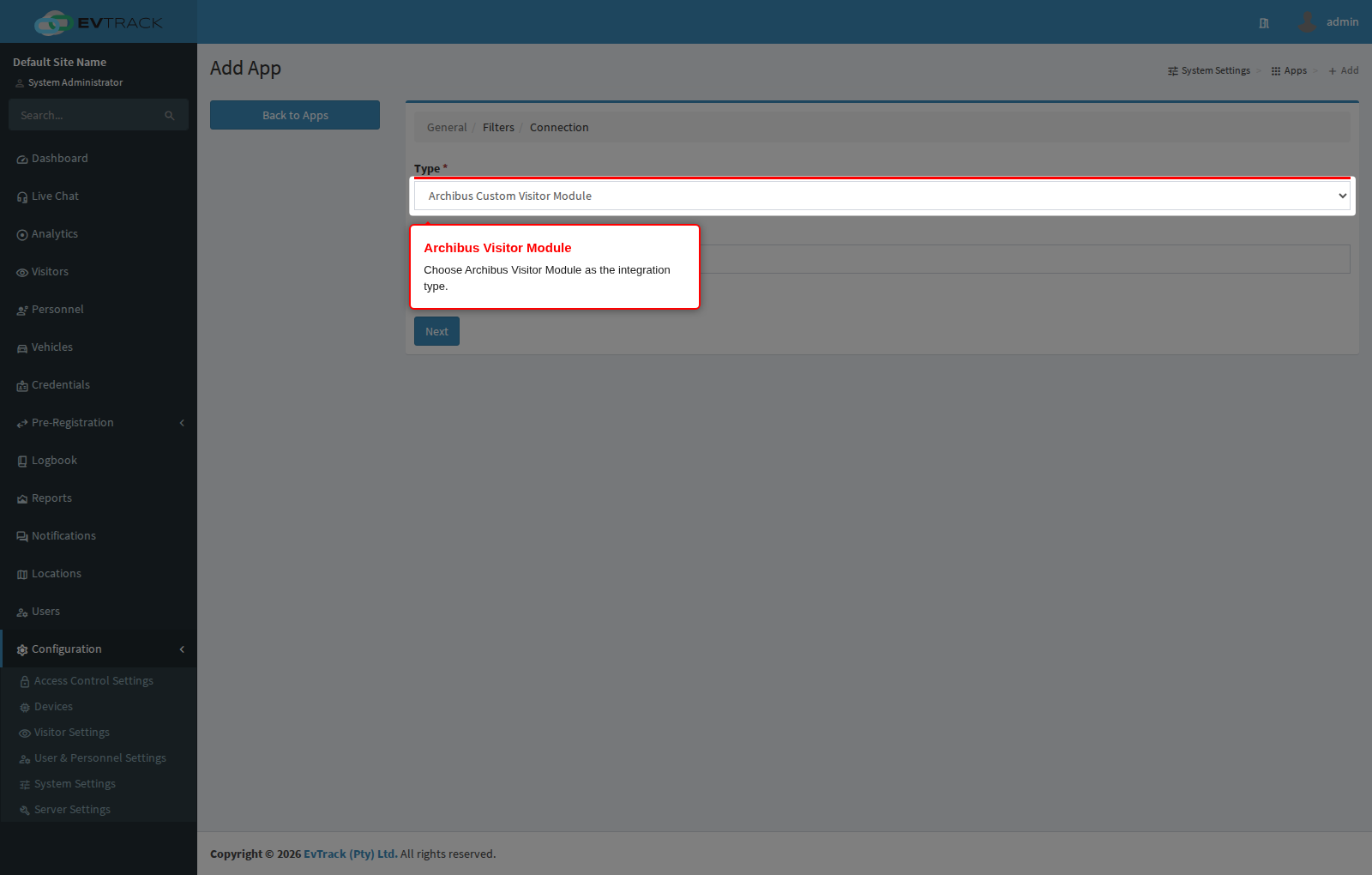
Step 2: Configure the connection
Give the integration a name and complete the connection settings - the Archibus base URL, the OAuth2 client credentials and token URL, the per-event webhook paths, and the retry settings. Connect and Save verifies the connection.