This guide walks through everything that shapes the invitation email a visitor receives - the toggles, the template editors, attachments, QR delivery options and language considerations. The Visitor Emails page is the field-by-field reference; this is the how-to.
Where it lives
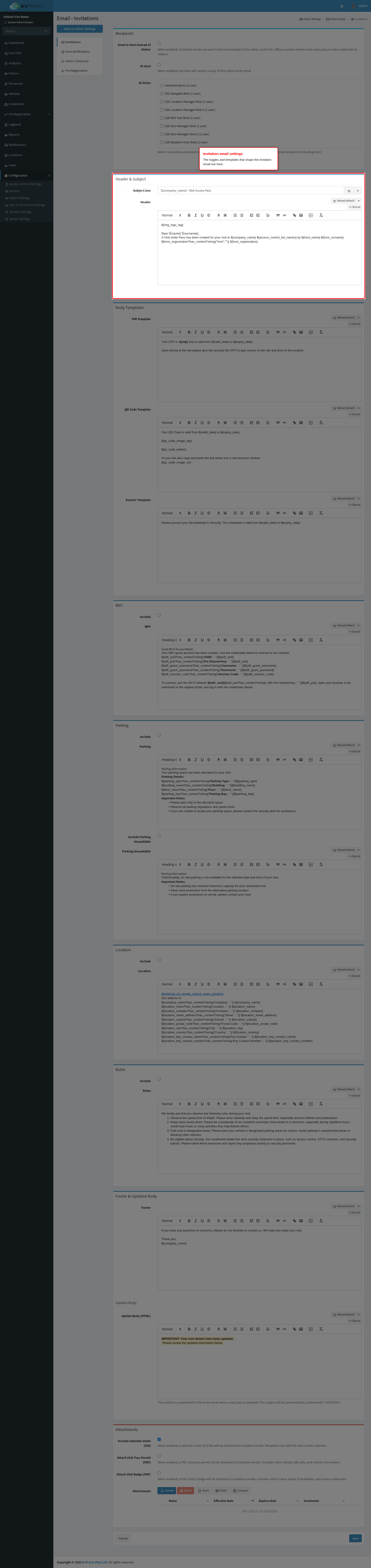
Open Visitors > Settings > Visitor Emails > Invitations. The sidebar also holds the other outbound email types - Pre-Registration, Visitor Check-out and Host Notifications - which follow the same editing pattern.
The template editors
- Subject Line - the email subject; supports merge tags, so
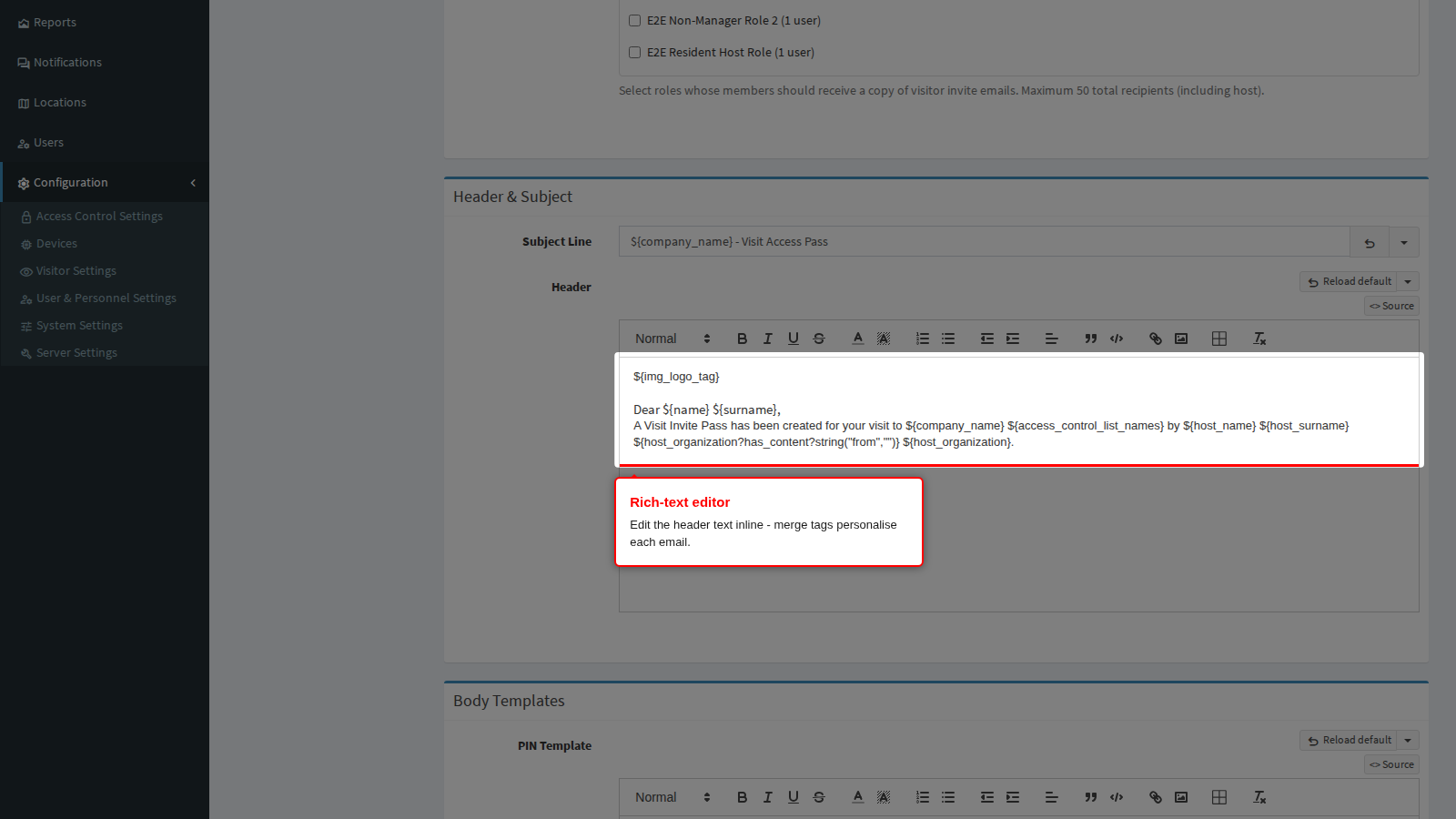
${name}personalises per visitor. When an existing invite is updated, the subject is automatically prefixed withUPDATED:. - Header - the rich-text opening of the email, edited inline. Use merge tags anywhere in the text - see the Merge Tags reference for the full catalogue and which tags are available for each email type.
- Rules - an optional rich-text block for site rules, included only while Include Invite Rules is enabled - the cleanest way to toggle seasonal or site-specific instructions without deleting the text.
How the final email is assembled
The invitation is built by concatenating the enabled sections in a fixed order: the updated notice (re-sends only), header, body (QR and/or PIN body depending on the issued credentials, otherwise the generic body), WiFi (when provisioned), parking or parking-unavailable, location, rules, and footer. One merged data set is applied to the assembled whole, so any invitation merge tag can be used in any section - the Merge Tags reference lists them all.
Delivery options and attachments
- Static Visit Pass Invite QR Code - embeds a static QR image in the email/SMS instead of the dynamic link. Static codes work offline and in print but cannot rotate - the dynamic link (the default) serves a fresh code each time and is the more secure option.
- Attachments - calendar invite (ICS), the visit pass permit PDF and the badge PDF can each be toggled onto the email.
- CC recipients - invitations support CC addresses (up to 50), and hosts can be CC’d on their visitors’ invitations.
- Delivery uses the server’s email settings - see Server Settings for SMTP configuration and the test-send action.
The result
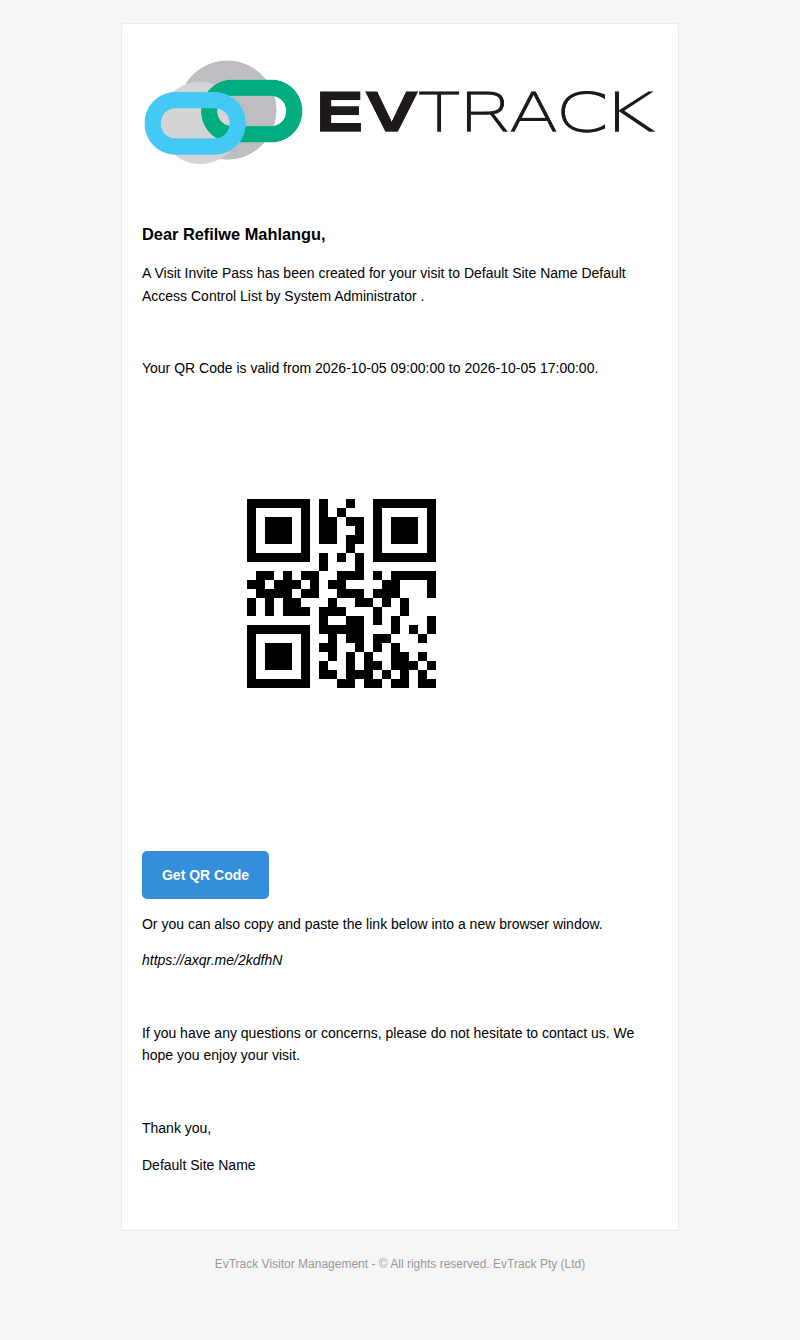
What the visitor receives - personalised header, validity window, QR code and the Get QR Code link:
Language considerations
Template content is authored in the language you write it in - compose the subject, header and rules for your audience. Built-in labels on the public pages follow the visitor-facing language selector on the registration flow; merge-tag values (names, dates, codes) are language-neutral. For multilingual sites, keep the authored text short and lead with the universal elements - the QR code and validity dates.