Deleting a visitor permanently removes the visitor and their associated records. This cannot be undone - consider whether checking the visitor out or letting their credentials expire is more appropriate.
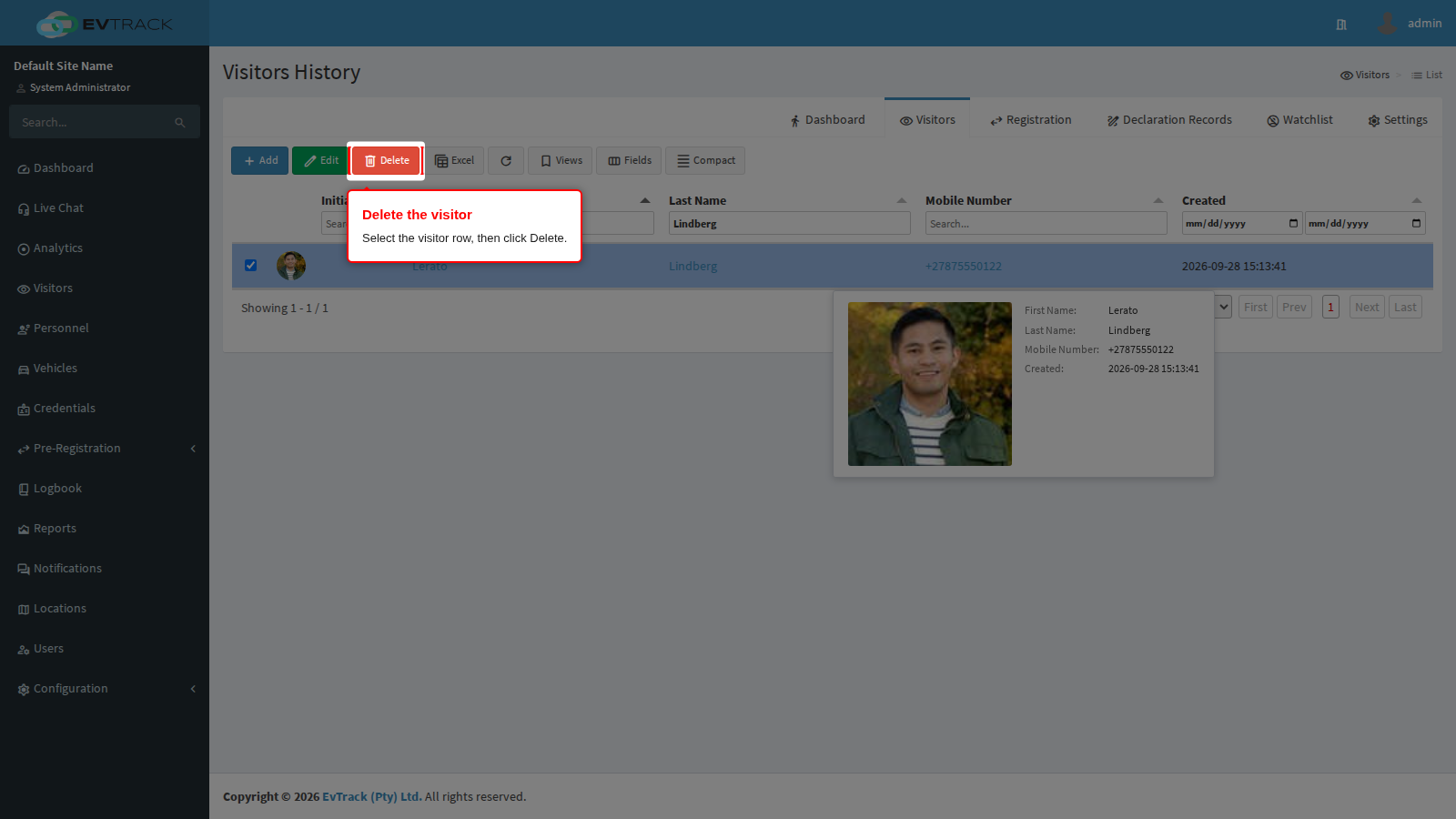
Step 1: Select the visitor and click Delete
In the Visitors list, use the column filters to find the visitor and select their row. Click the Delete button in the toolbar.
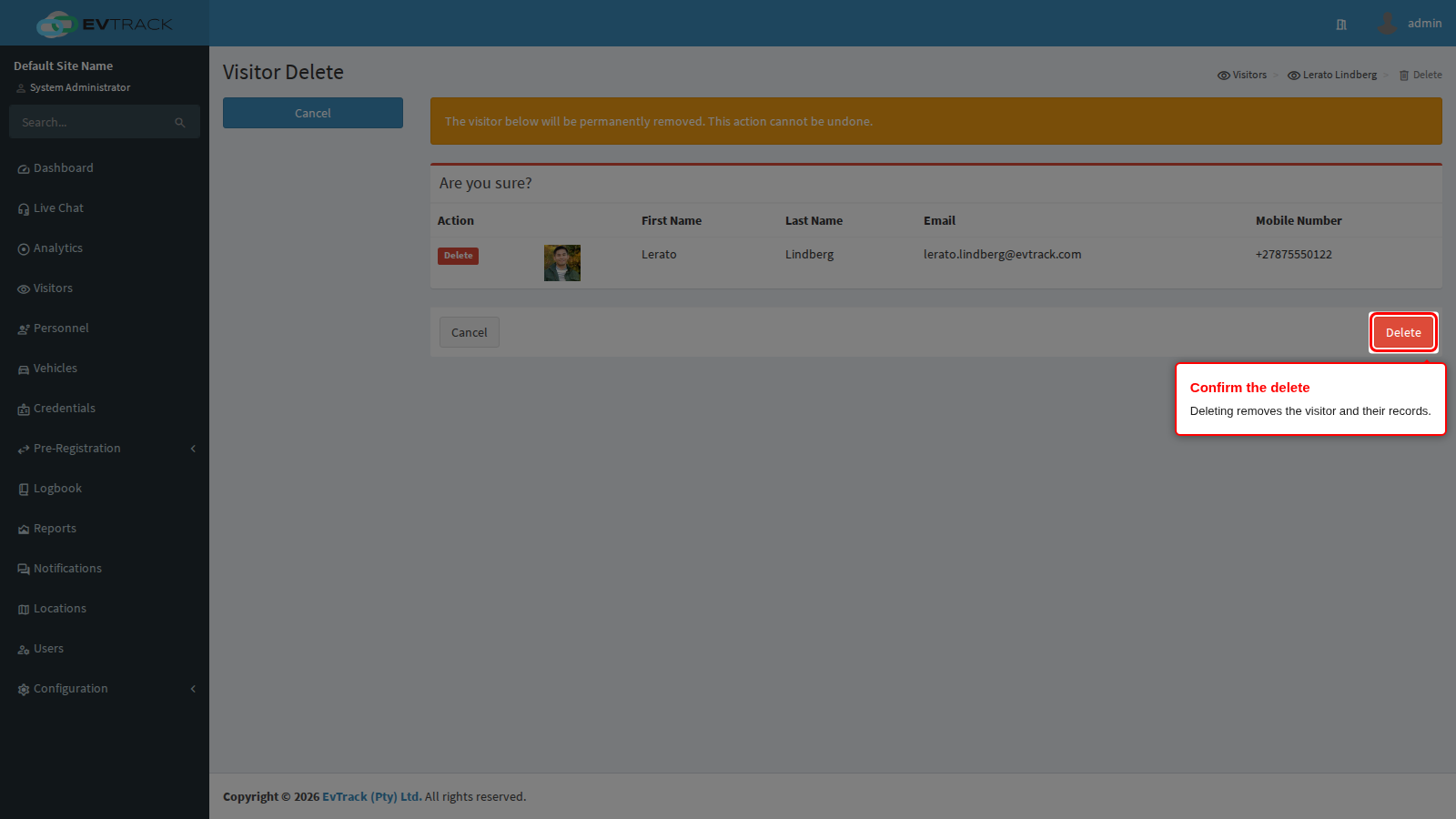
Step 2: Review and confirm
A confirmation page summarises the visitor that will be removed. Click Delete to confirm, or Cancel to abandon the delete.
After confirming, the Visitors list reopens and the visitor no longer appears in it.