EvTrack provisions guest Wi-Fi accounts through Cisco ISE (Identity Services Engine): checked-in visitors receive a guest Wi-Fi account automatically, and the account is removed when they check out.
Prerequisites
- A reachable Cisco ISE deployment with the Guest REST API enabled
- ISE ERS Admin and ERS Sponsor accounts for EvTrack with permission to create guest accounts
- The guest type and portal the accounts should be created under
- Network access from the EvTrack server to the ISE node (HTTPS)
Step 1: Add the integration
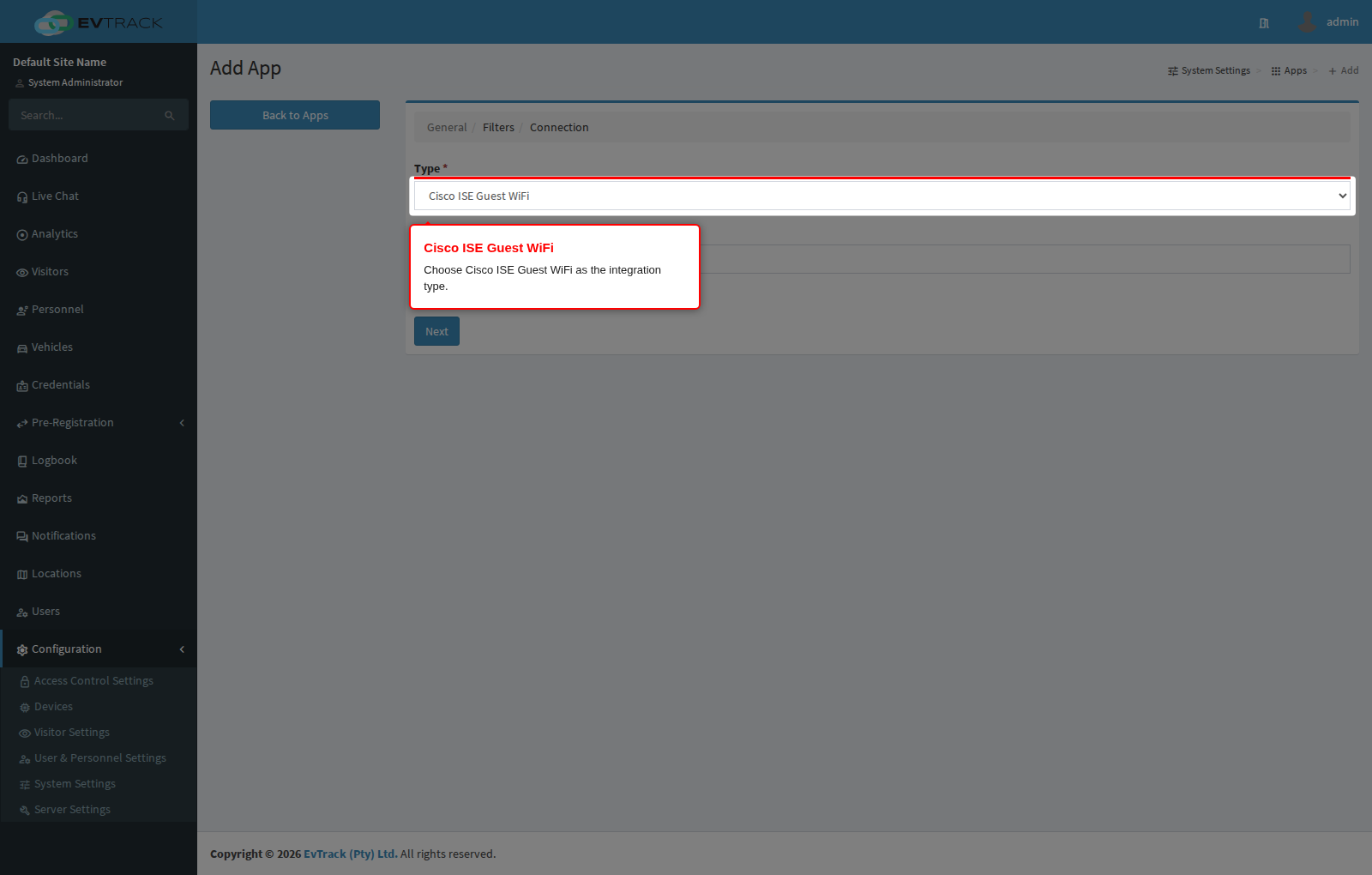
Open Configuration > System Settings > Apps and click Add, then choose Cisco ISE Guest WiFi from the integration catalogue.
Step 2: Configure the connection
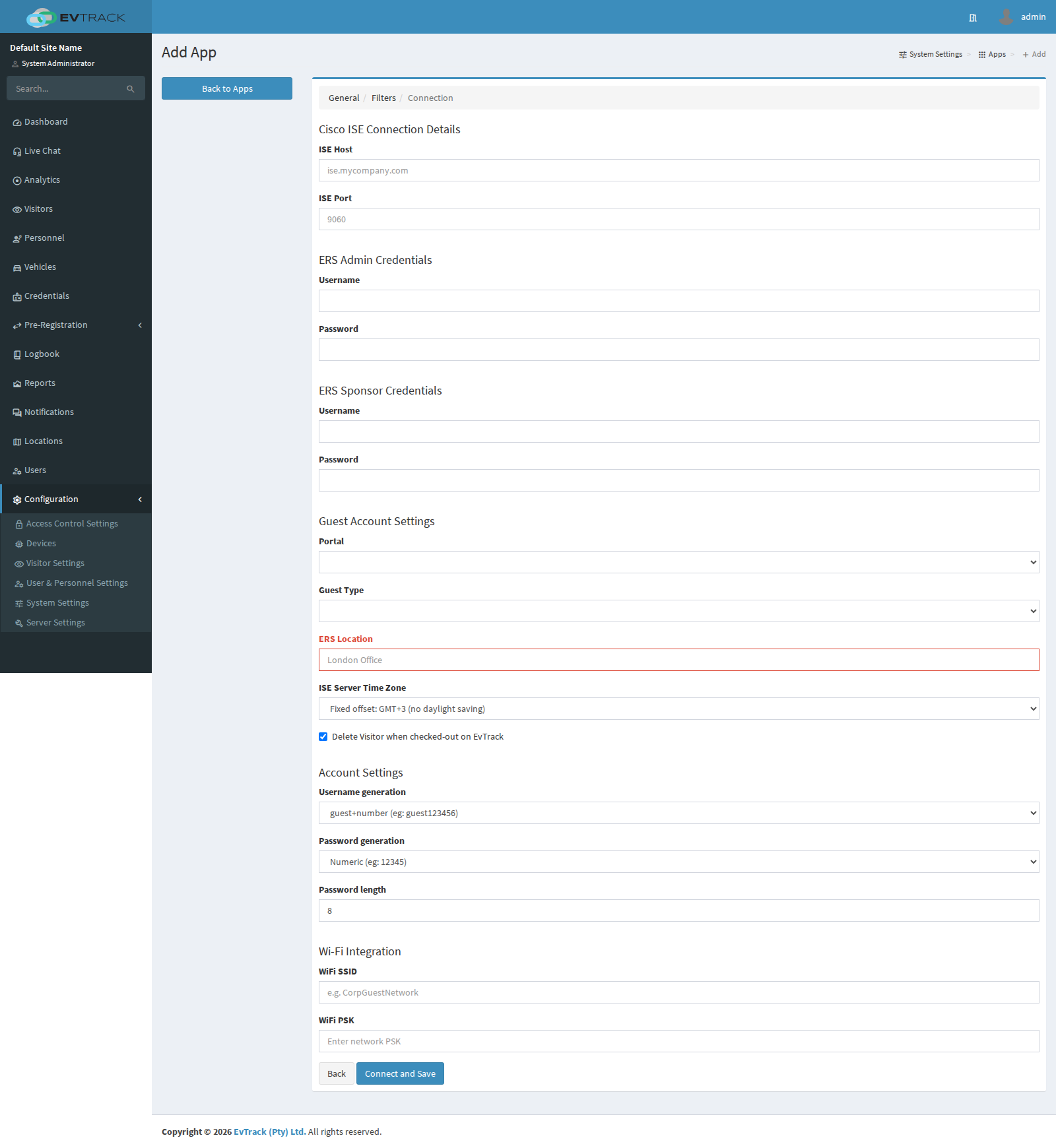
Give the integration a name and complete the connection settings - the ISE host, the ERS admin and sponsor credentials, the portal and guest type, the ISE server time zone, and the username/password generation options. Saving the integration verifies the connection.
Once enabled, guest Wi-Fi credentials can be included on the visit pass so visitors are online as soon as they arrive.