The smart card reader lets an operator read a card’s serial number when issuing a credential, and write cards from the credential and user screens, without typing card numbers by hand.
What you need
- A supported smart card reader or encoder connected to the workstation.
- The card service installed and running on that same workstation. It listens on port 16365.
- The reader is per workstation. Desks without one never see the read and encode controls.
Step 1: turn it on for the system
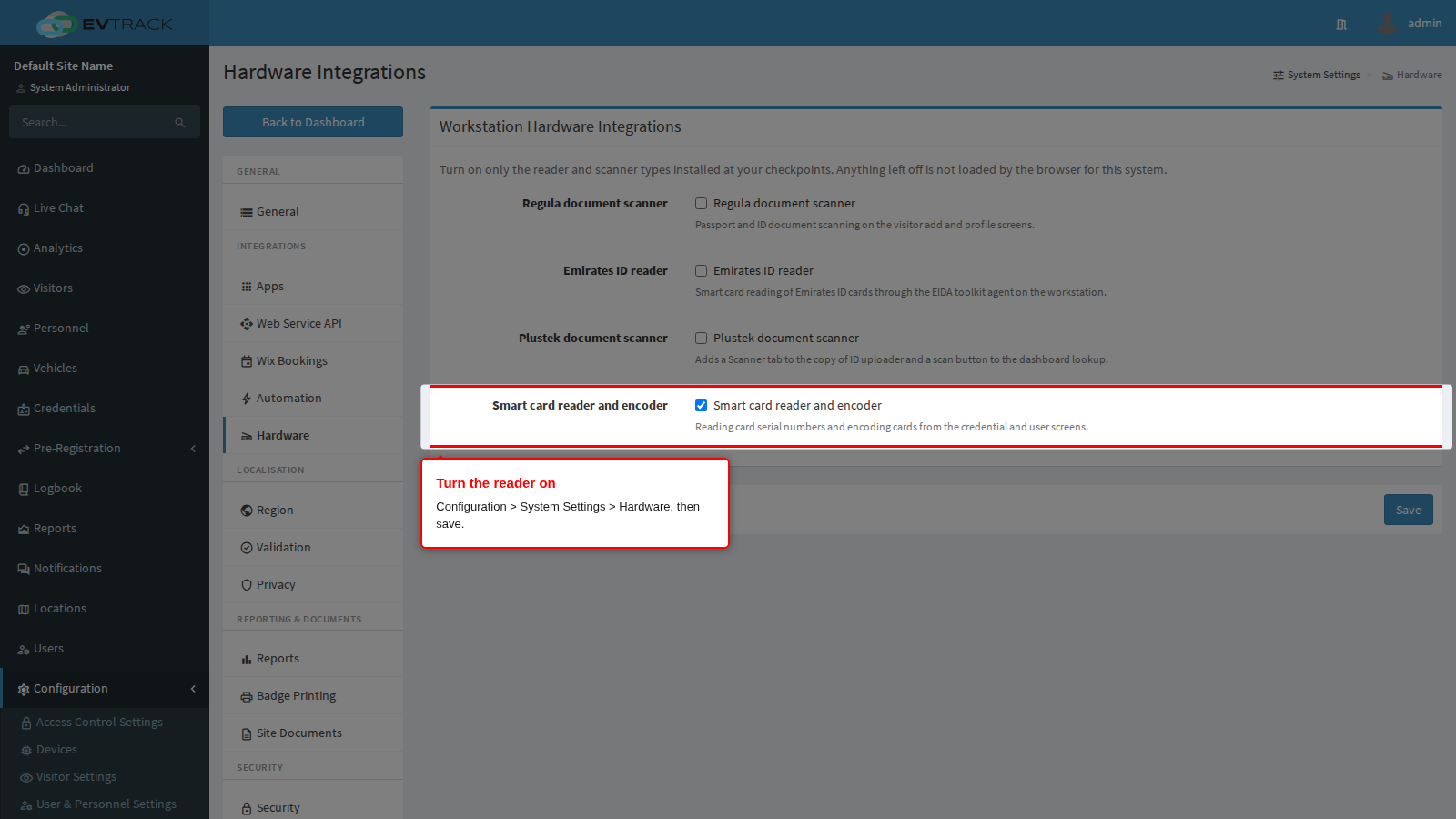
Go to Configuration > System Settings > Hardware, tick Smart card reader and encoder, and save.
Step 2: check it appears
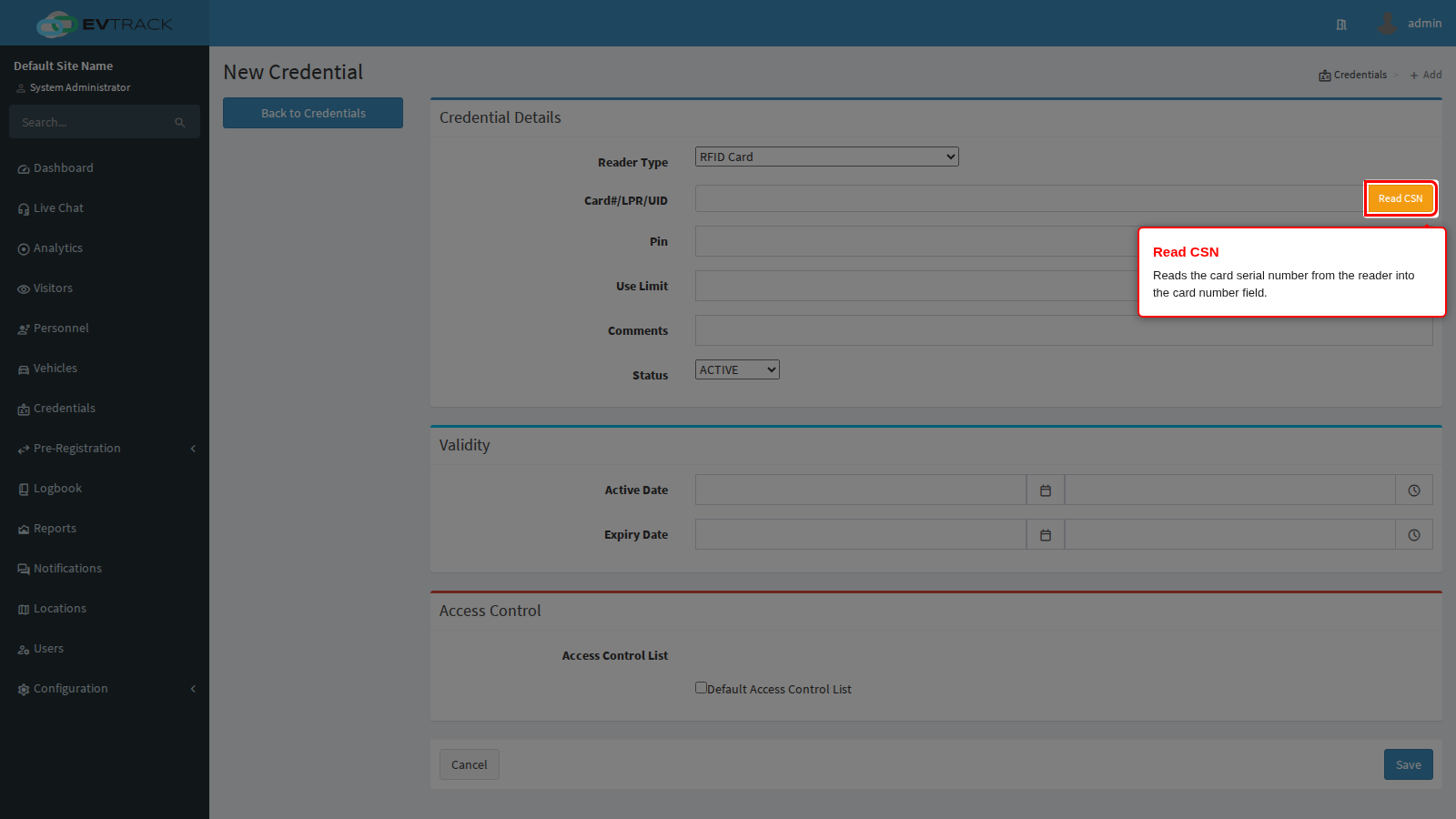
Open a credential form. The card number field is now accompanied by a Read CSN button, which reads the card serial number straight off the reader. The card encoding controls on the user screens are enabled by the same switch.
Step 3: read a card
Place the card on the reader and choose Read CSN. The serial number is written into the card number field. Assign the credential’s access control lists before saving, as always: a credential with no lists assigned identifies its holder but opens nothing.
If the button does not appear
- Confirm the switch is on under Configuration > System Settings > Hardware, then reload the screen.
If reading a card fails
- Check the card service is running on that workstation and listening on port 16365.
- Check the reader is connected and its driver is installed.
- Try a different card. A damaged or unsupported card type reads as a failure even when the reader itself is healthy.