Where licensed, EvTrack delivers visit passes and codes over WhatsApp - including the QR code itself as media, which SMS cannot carry. Three provider gateways are supported:
- Twilio - the Twilio WhatsApp Business API
- Gupshup Business - the Gupshup Multi-Platform API
- Gupshup Media (Legacy) - the older Gupshup media gateway
Before you start: you need settings administration rights and a WhatsApp Business account with the chosen provider, with a pre-approved message template - WhatsApp only allows businesses to initiate conversations with approved templates.
Step 1: Choose the gateway
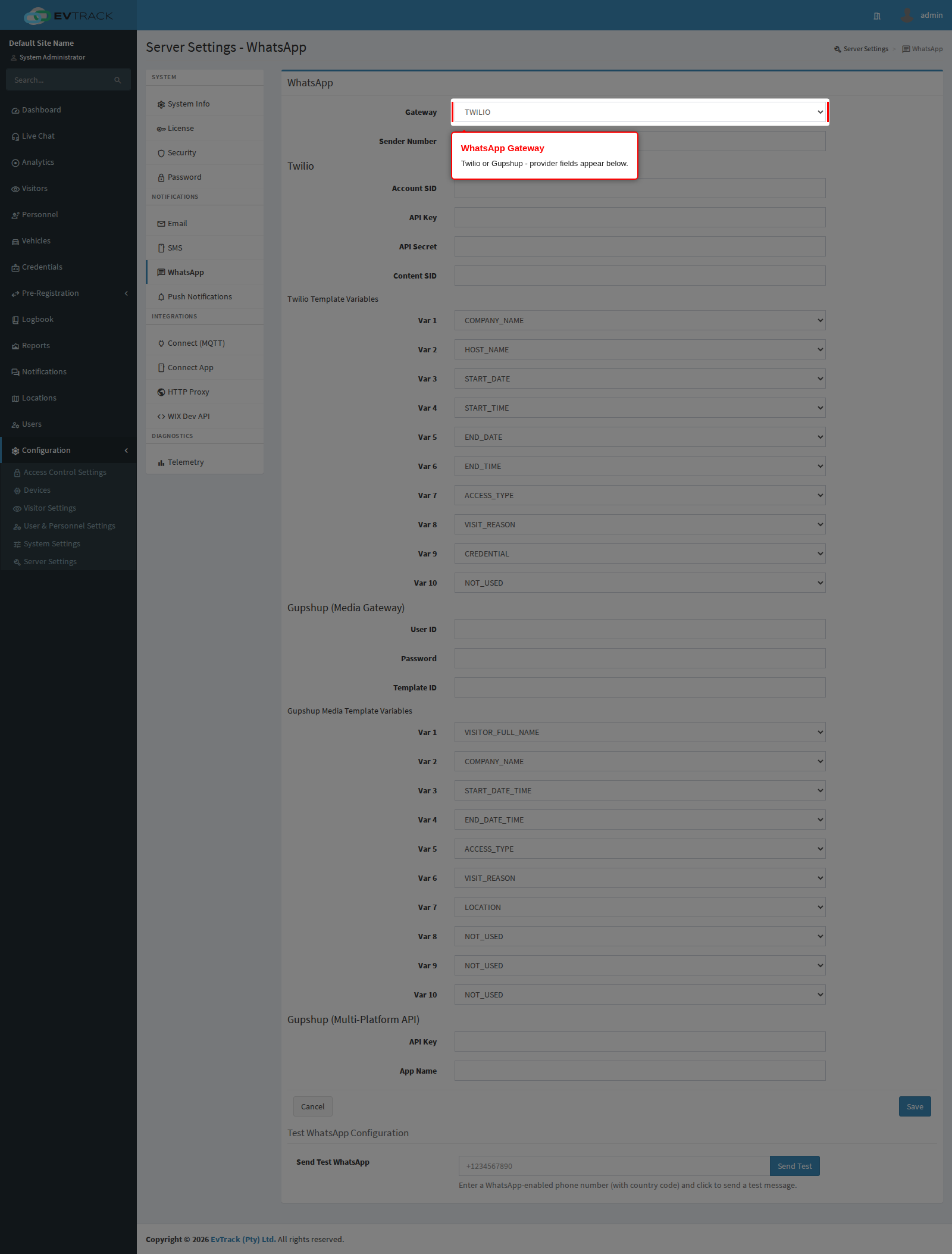
Open Configuration > Server Settings > WhatsApp and select the Gateway. Set the Sender Number to your WhatsApp-enabled business number in international format. The provider-specific fields are covered on the provider pages linked above.
Step 2: Map the template variables
WhatsApp does not use EvTrack’s ${tag} merge tags. Your approved template carries numbered variables, and this page maps each variable to a source value - visitor name, company, start and end dates, access type, visit reason, location, or the credential link. Set the mapping to match the wording of your approved template exactly; a mismatch shows the wrong value in the delivered message. WhatsApp dates render as dd-MM-yyyy and times as HH:mm.
Step 3: Save, then send a test message
Click Save, then use the test-send action with your own WhatsApp number. The provider’s response appears next to the button; the message should arrive in WhatsApp within a minute.
Notes
- The share page of every generated pass also offers one-tap WhatsApp sharing, independent of this gateway - the gateway is what lets the system send WhatsApp messages automatically.
- Template approval, sender registration and per-conversation pricing are managed at the provider, not in EvTrack.