Every visit has to end. Ideally the visitor scans out at the checkpoint and the record closes itself, but in practice people walk out of the building without scanning, and some expected visitors never arrive at all. This page decides what the product does about that: when it closes an abandoned visit on its own, what happens to the visitor pass at that moment, and whether a visitor who has already checked out can come back in on the same visit.
Before you start: you need an operator account with settings permissions, otherwise the Visitor Settings menu is not shown at all. Nothing else has to exist first: the settings on this page apply to every visit on the system.
What is affected: these are system-wide rules, applied from the moment you save. Visits that are already open are picked up by the next sweep, so raising or lowering the delay changes what happens to visits currently on site as well as to future ones.
Step 1: Open the Check-out settings
Open Configuration in the sidebar, click Visitor Settings, and click the Check-out tile.
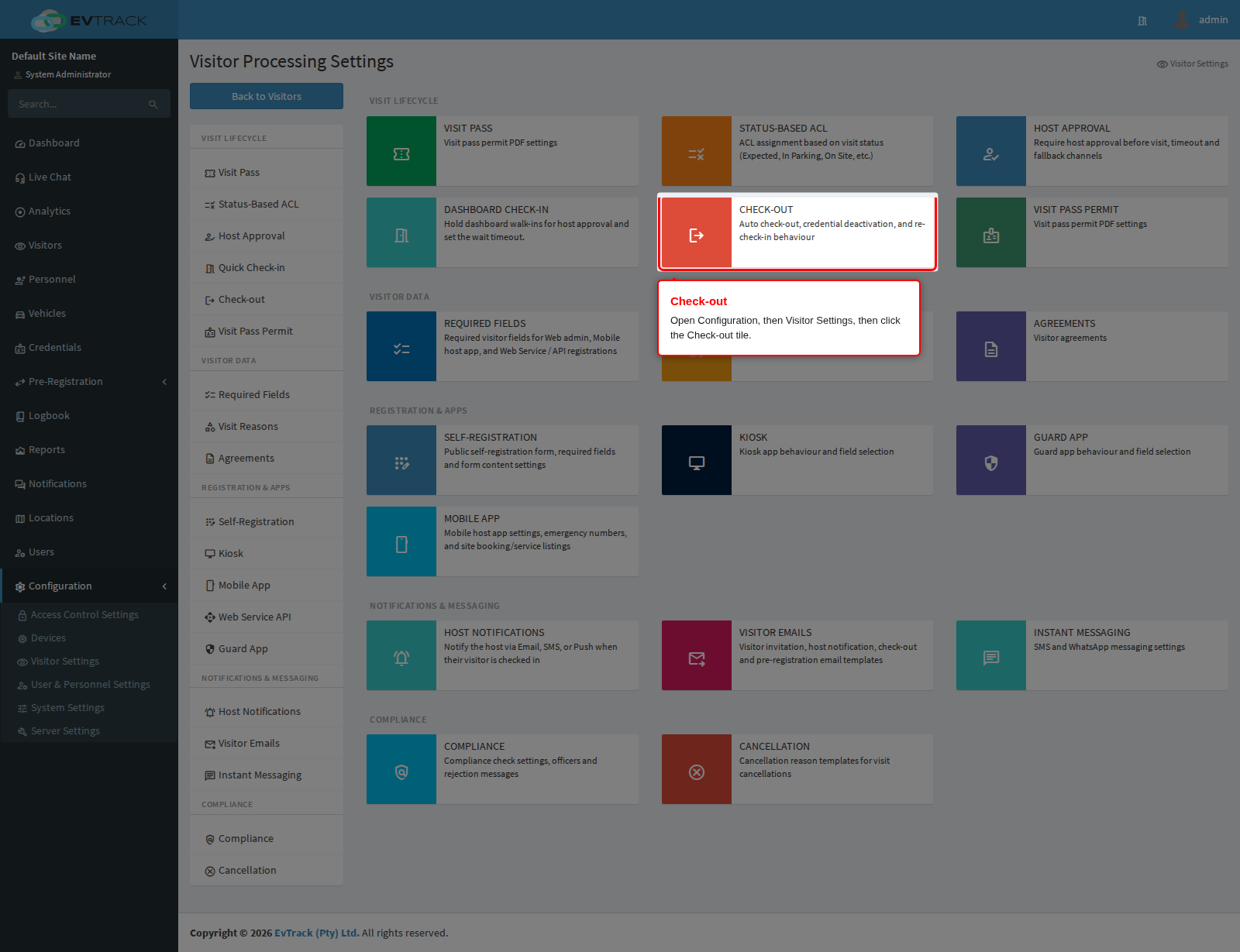
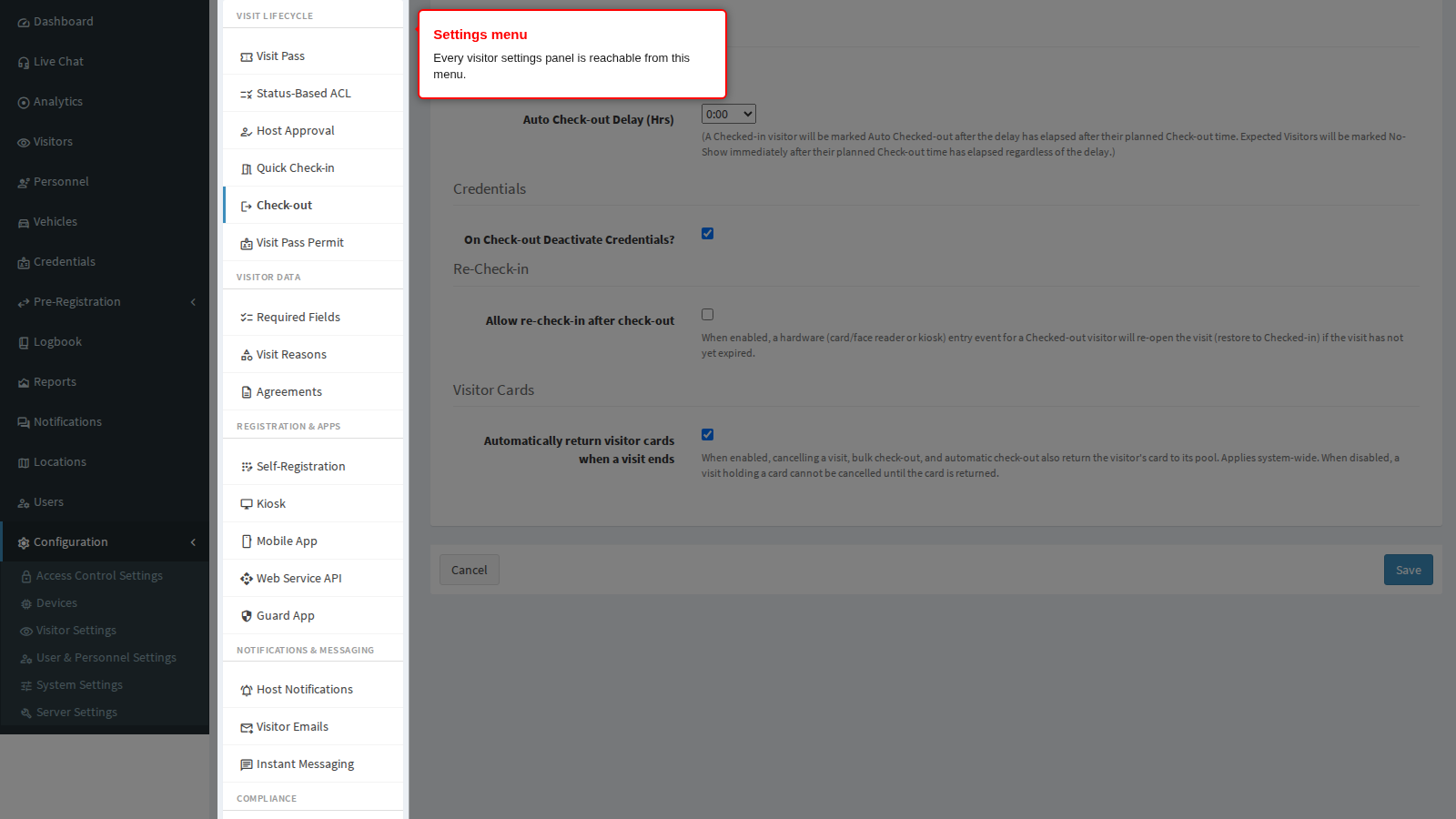
End state: the Check-out panel opens. The menu on the left remains visible so you can move to any other visitor settings panel without going back to the tiles.
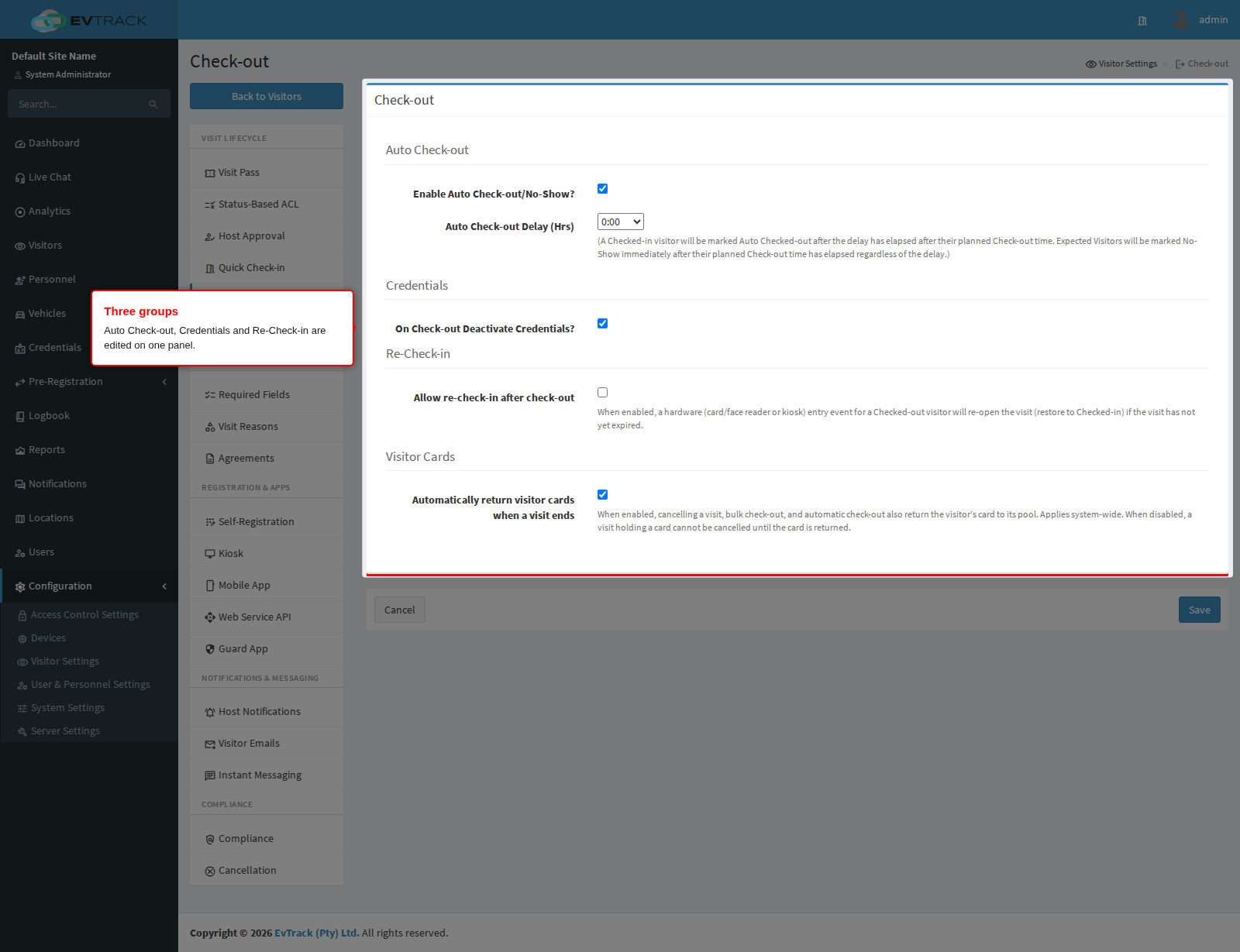
The panel holds three groups of settings, in this order: Auto Check-out, Credentials and Re-Check-in.
Step 2: Decide whether visits close themselves
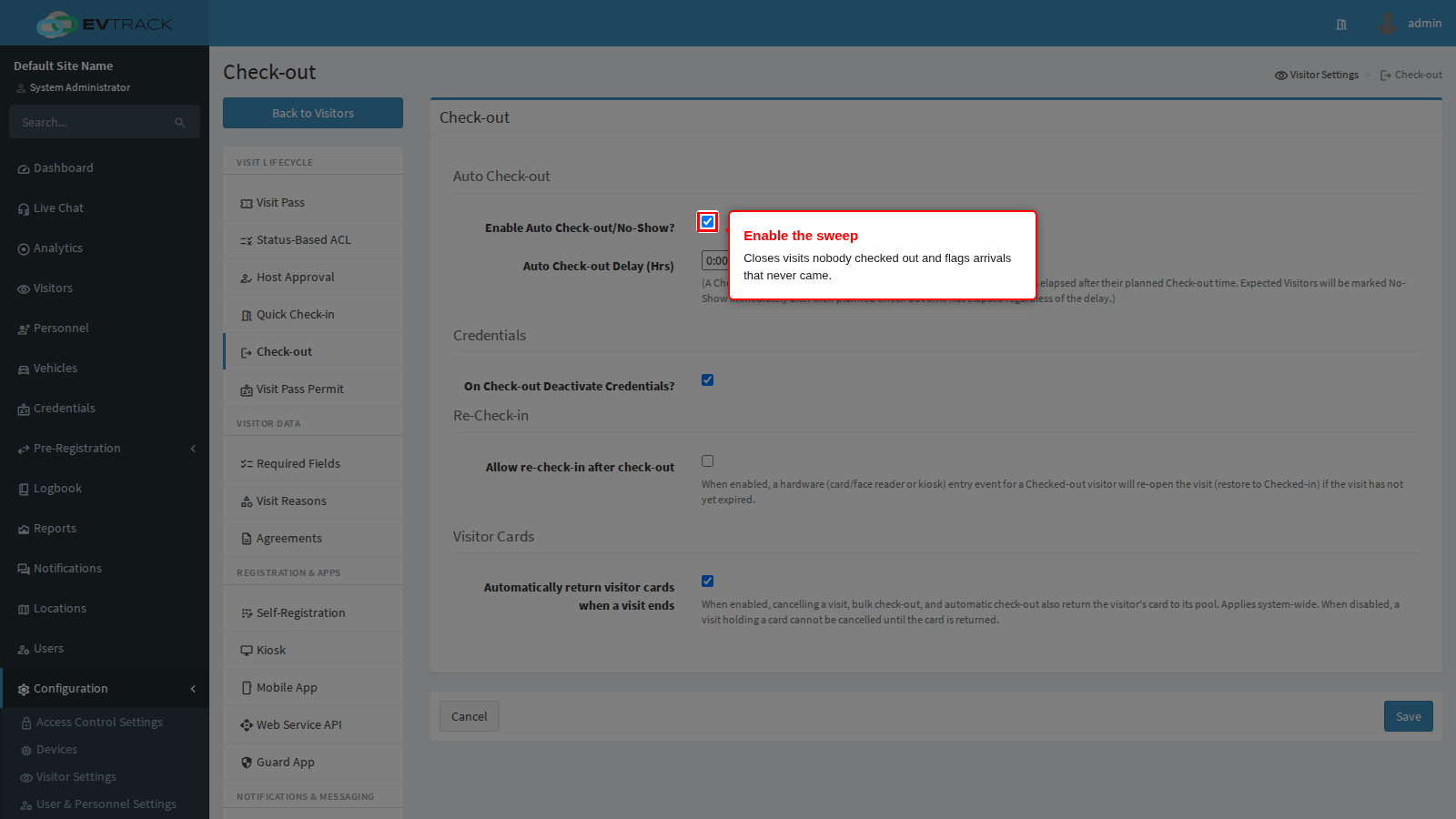
Enable Auto Check-out/No-Show? turns on a background sweep that runs every five minutes and tidies up visits nobody closed. It does two separate jobs:
- A visit that is on site (Checked-in, On-Site, In Parking or Hosted) and whose planned end time has passed is marked Checked-out once the delay below has elapsed.
- A visit that is still Expected, meaning the visitor never arrived, is marked No-Show as soon as its planned end time has passed. The delay does not apply to no-shows.
Turn it on at any site where reports show visits that remain open for days. Turn it off only where every exit is genuinely scanned and you would rather see an unclosed visit than an automatic one, because an automatic check-out is stamped with the sweep time, not with a real exit.
Auto Check-out Delay (Hrs) is how long the sweep waits after a visit’s planned end time before it closes an on-site visit. It is a fixed list of choices, from 0:00 (close as soon as the sweep sees it) up to 168:00 (a full week). The right value is the longest a genuine visitor might reasonably overrun: set it too short and a meeting that runs late is checked out while the visitor is still in the building; set it too long and your on-site list is wrong all day.
Two things are worth knowing:
- The Late Check-out Period configured on the Visit Pass panel is added to this delay, so a 1 hour delay together with a 30 minute late check-out closes the visit 1 hour 30 minutes after the planned end time.
- The sweep handles up to 200 overdue visits per pass and stops after a few seconds of work, so on a very busy day a backlog is cleared over several passes rather than all at once.
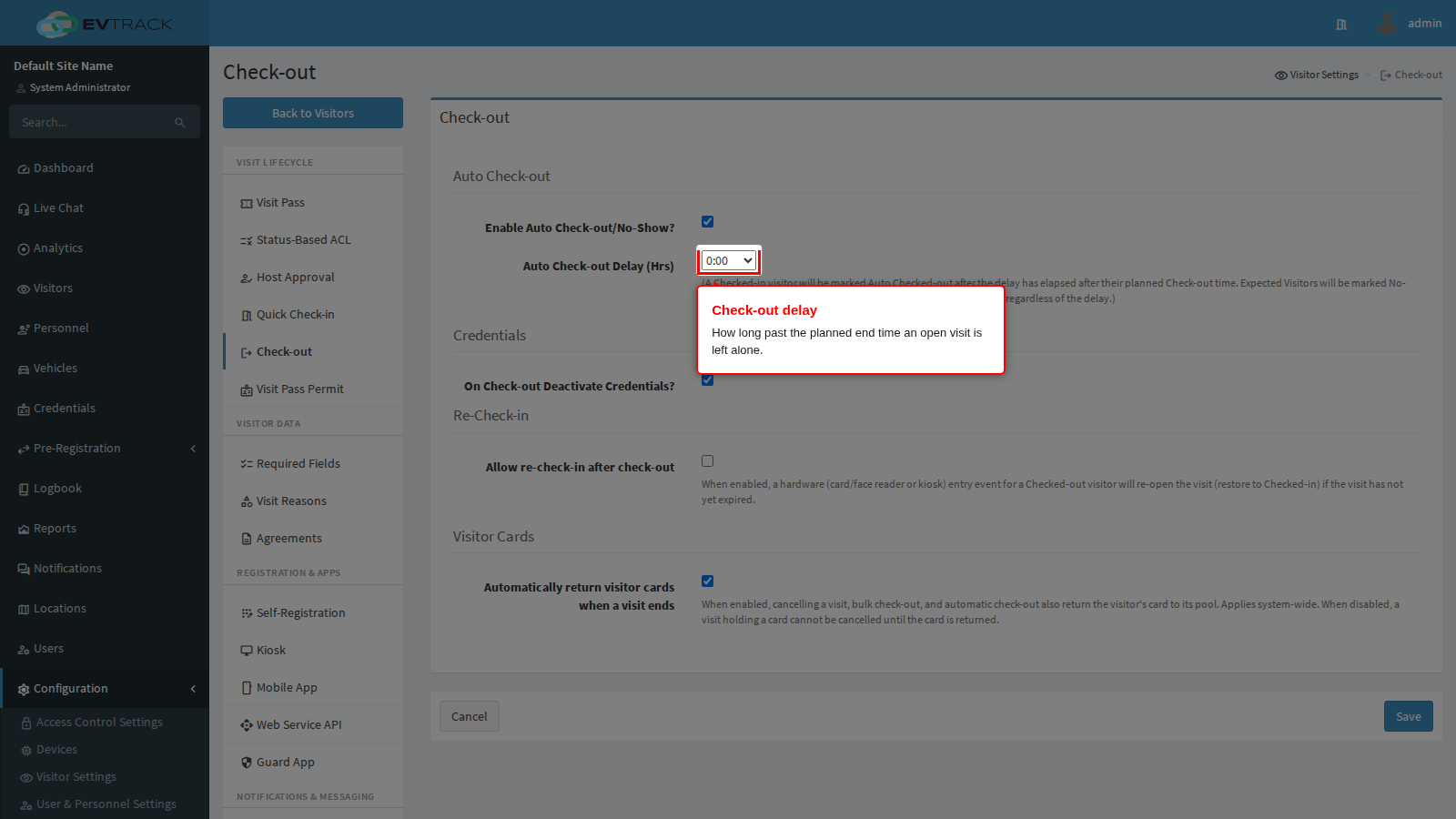
End state: with the sweep on, an overrun visit disappears from the on-site list by itself, and a visitor who never arrived shows as No-Show in the reports instead of sitting as Expected forever.
Step 3: Decide what happens to the visitor pass
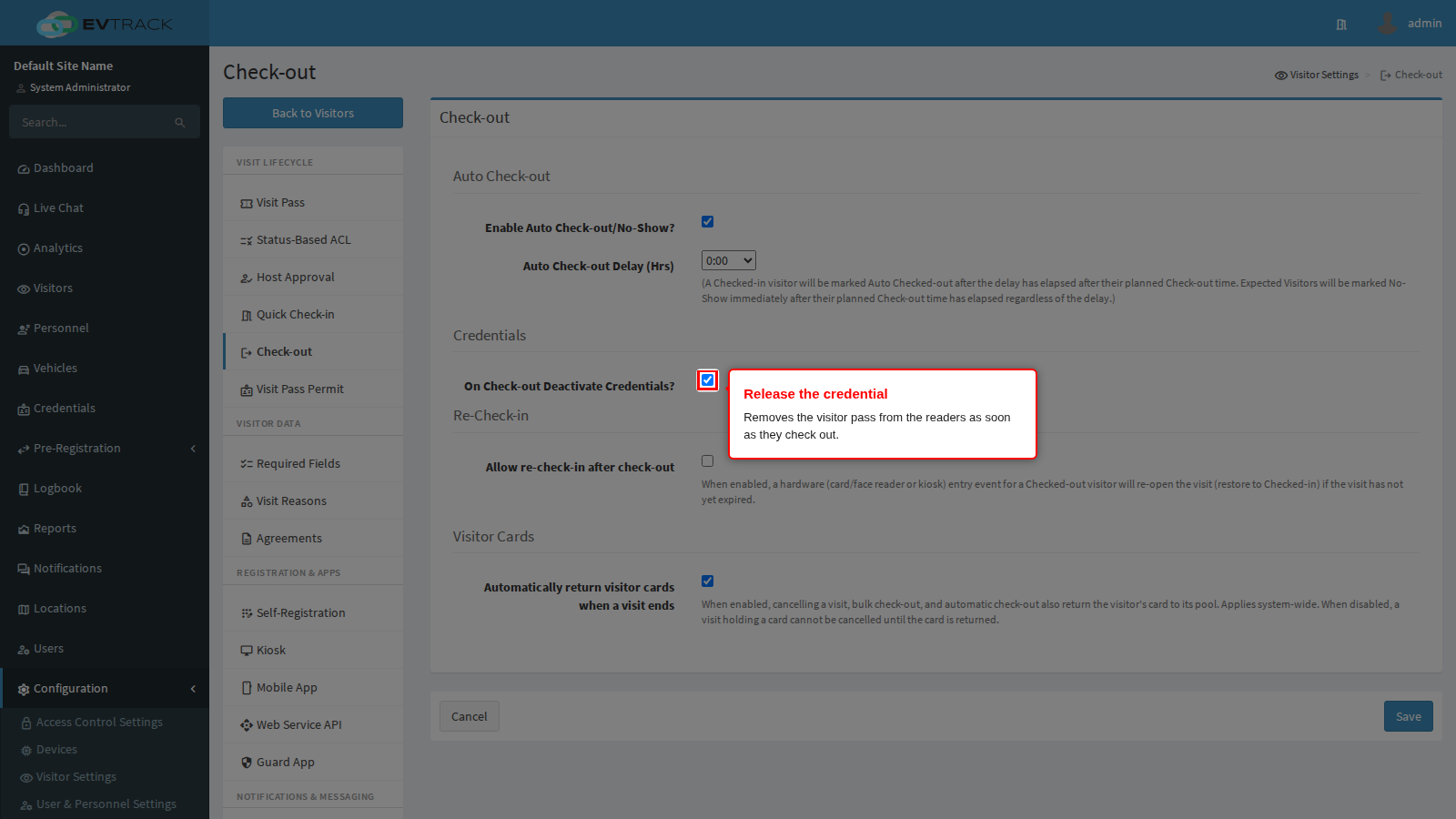
On Check-out Deactivate Credentials? decides whether the visitor’s credentials are removed from the readers when the visit is checked out, by an operator or by the sweep. This is the single most security-relevant setting on the page.
With it on (the shipped default), the QR code, PIN or card the visitor was carrying stops opening anything the moment they check out, and the slot they occupied on the physical controller is released. That matters on hardware that only holds a limited number of credentials: without the release, a busy site fills its controllers and new visitors cannot be pushed to the readers at all.
With it off, the credential remains live on the readers for the rest of the visit’s validity window, so the same code keeps working after check-out.
Two exceptions override this setting and keep the credential live even when it is on:
- A visit reason with Always Allow Multiple Entries set in its advanced options.
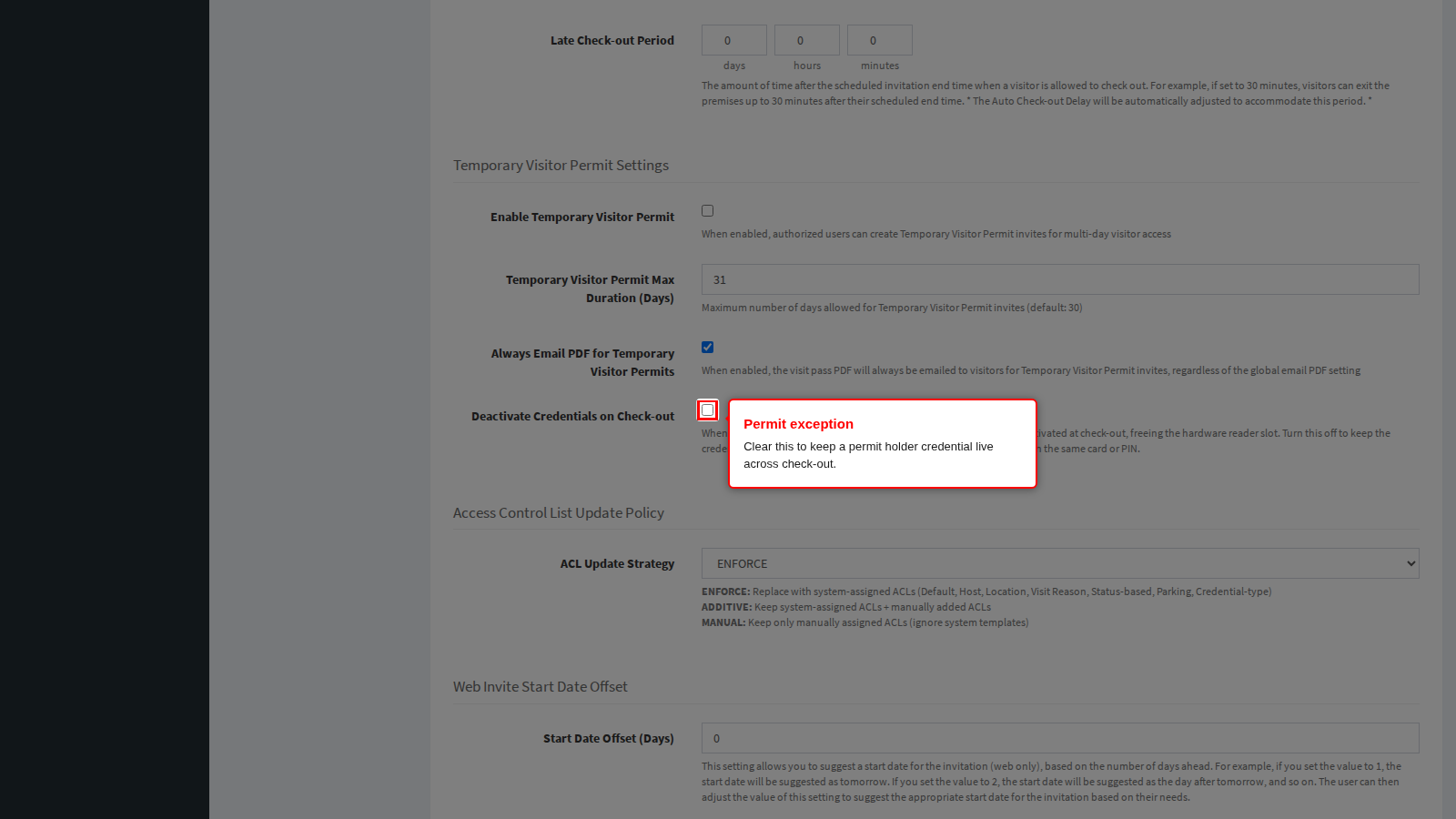
- A temporary visitor permit whose own Deactivate Credentials on Check-out sub-toggle is cleared.
Both exceptions apply to a normal check-out only. When a visit reaches a final state for any other reason (cancelled, no-show, denied, or expired), its credentials are always released, permits included.
Step 3a: Decide what happens to the visitor’s card
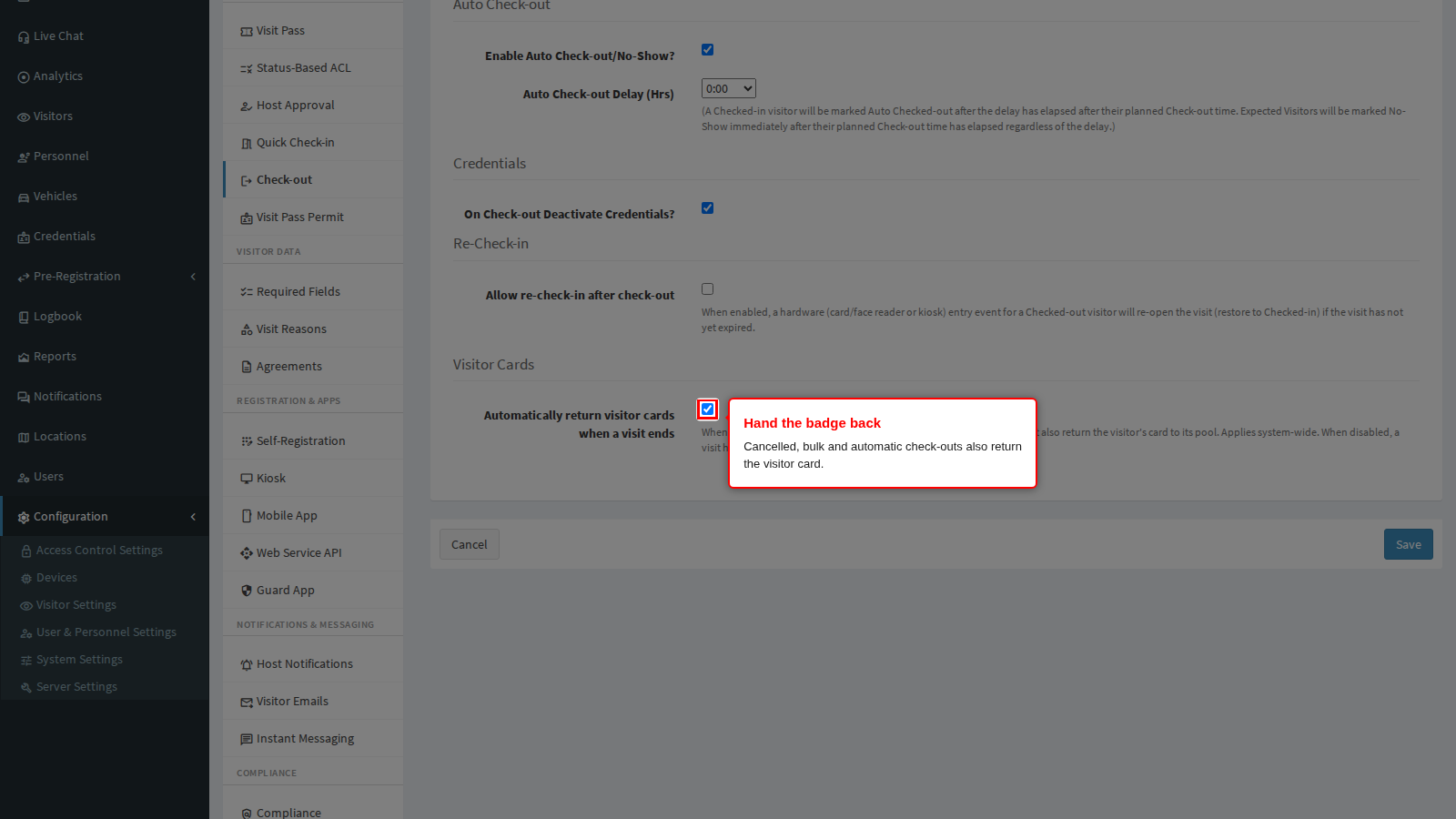
Automatically return visitor cards when a visit ends covers the physical loan badge issued from a card pool at check-in. A normal check-out always hands the card back to its pool; this setting decides what happens when the visit ends any other way.
With it on (the shipped default), cancelling a visit, checking visitors out in bulk from the visitor list, and the automatic check-out sweep all return the visitor’s card to its pool as well, so the number goes back into circulation without anyone touching the pool page. The card record still shows the full assignment history.
With it off, the system refuses to cancel a visit while its visitor still holds a card - the card has to be returned by hand from the pool page first. Choose this at sites where a badge must be physically recovered and accounted for before the paperwork closes.
One thing this setting cannot do is bring the physical badge back: an automatically returned card may still be in the visitor’s pocket. If a badge never comes back, open its card record and mark it Lost so the number cannot be re-issued.
Step 4: Decide whether a checked-out visitor may return
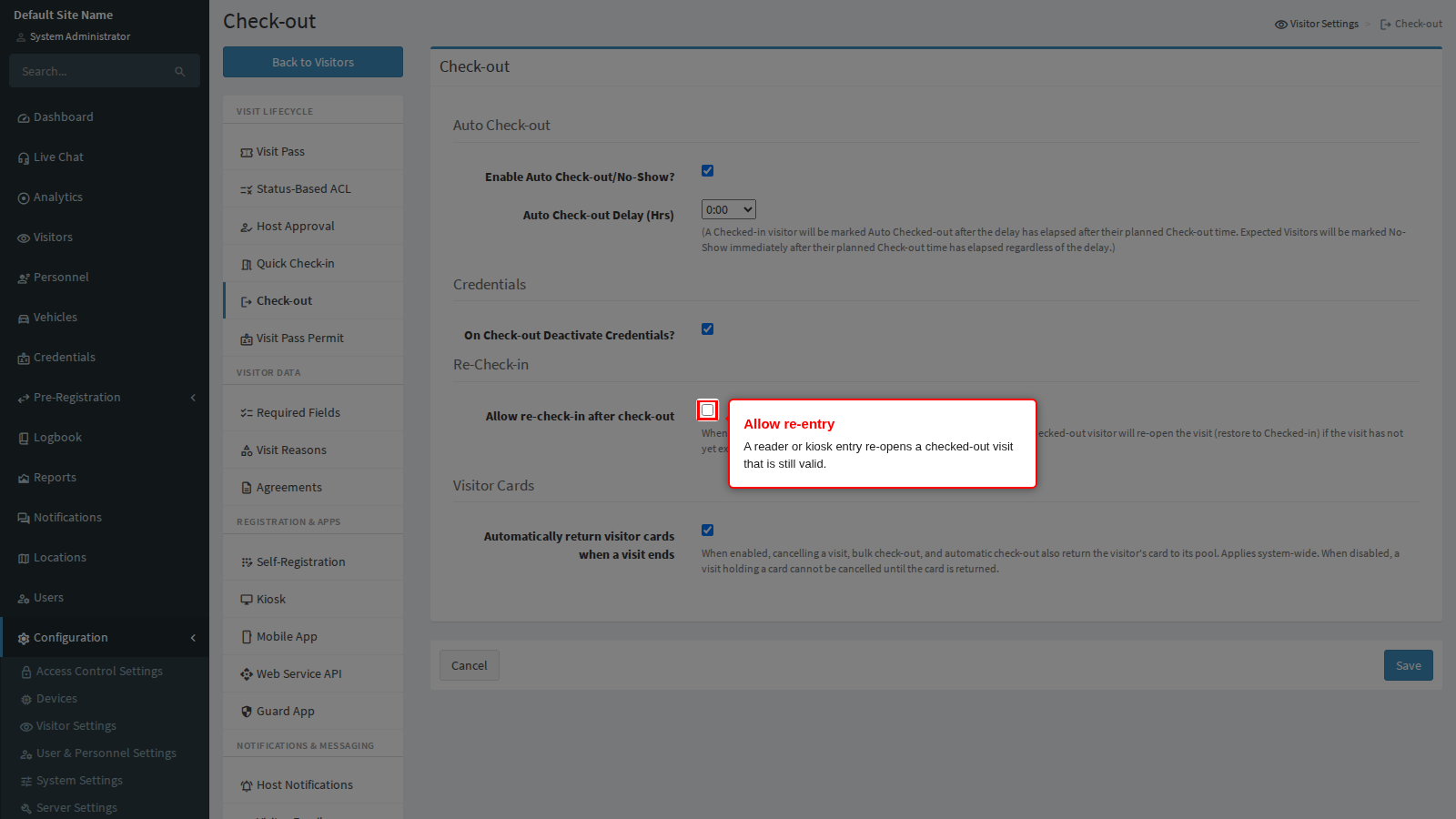
Allow re-check-in after check-out decides what a reader does when someone who has already checked out presents their pass again. With it on, that entry re-opens the visit and puts it back to Checked-in, provided the visit has not passed its end time. The arrival is recorded as a fresh entry, so the reports show the latest arrival time rather than the first one, and any credentials that were released at check-out are restored.
Turn it on at sites where visitors step out for lunch, move between buildings, or work a multi-day contract on a single visit. Turn it off where every re-entry must be a new visit that reception can see and approve.
An expired visit is never re-opened, whatever this setting says: once the end time has passed the visitor has to be booked again.
Re-entry is also allowed, regardless of this setting, for a temporary visitor permit while permits are enabled, and for any visit whose visit reason has Always Allow Multiple Entries set.
Step 5: Save
Click Save at the bottom of the panel. Cancel discards your edits and returns you to the settings home page.
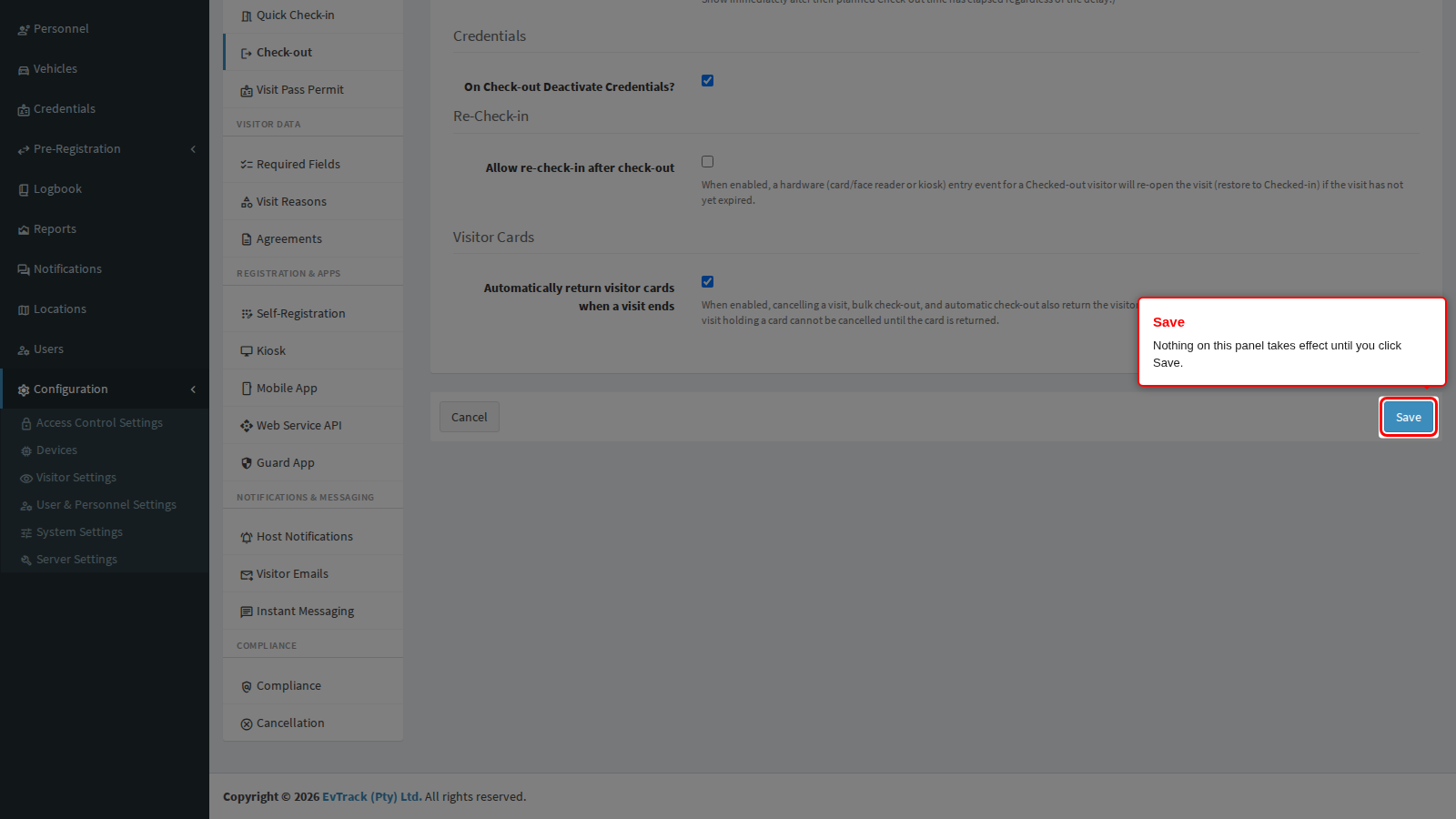
End state: a green confirmation appears at the top of the panel. The new rules apply from the next sweep, which runs within five minutes.
The two settings on other panels that change this behaviour
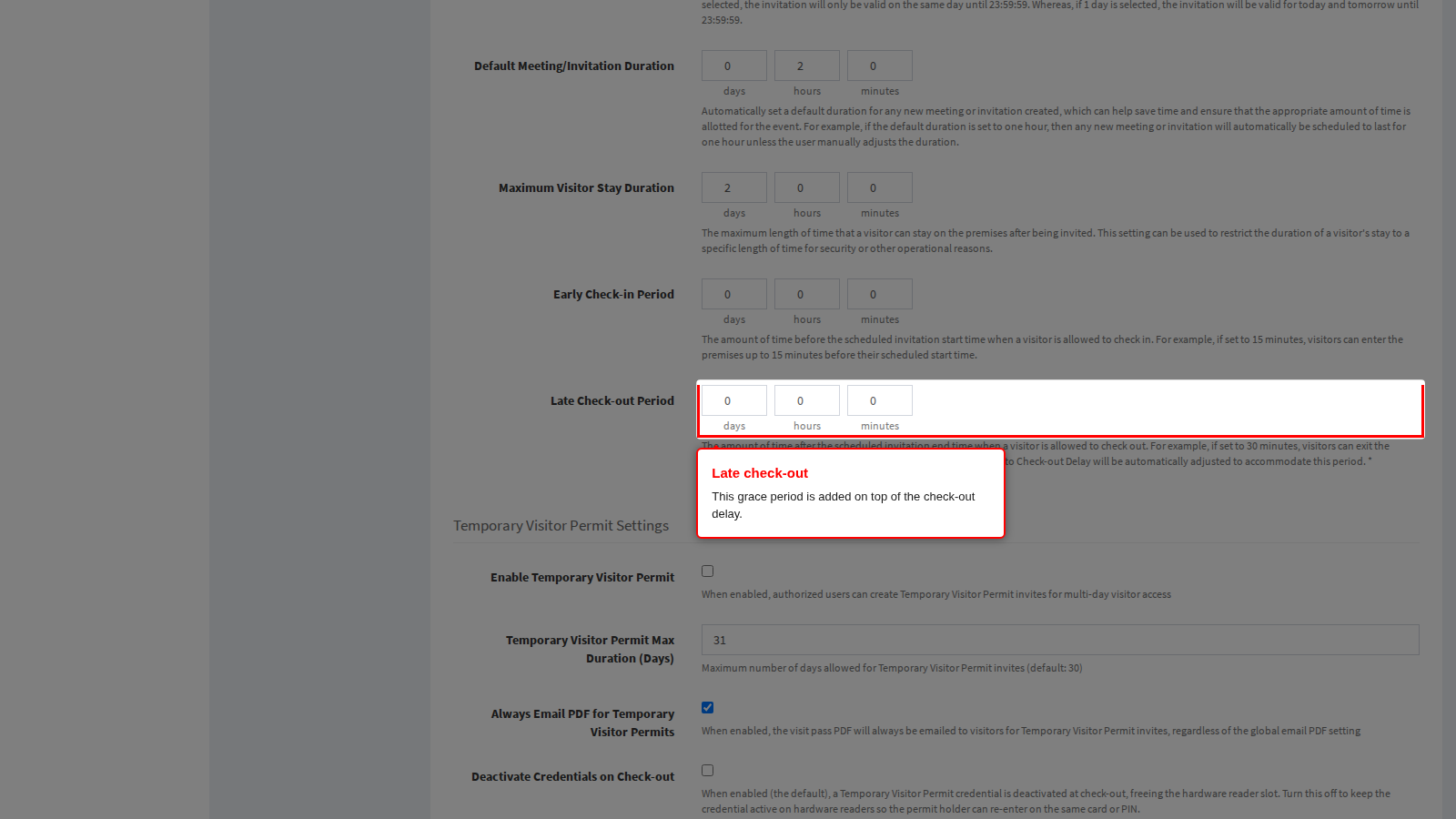
Late Check-out Period, on Visitor Settings > Visit Pass > General, keeps a pass working for a stated time past the booked end time so an overrunning visitor can still scan out. That same period is added to the check-out delay above before the sweep closes a visit, so raising it quietly makes auto check-out later too.
Deactivate Credentials on Check-out, in the temporary visitor permit block of the same panel, is the permit-only version of the credential setting on this page. Clearing it keeps a permit holder’s card or PIN live across check-out so a contractor can return the next morning without anything being reissued.
If credentials are deactivated system-wide and the permit sub-toggle is also on, a permit holder is refused on their second day. The Visit Pass panel shows a warning as soon as that combination is selected: either clear the permit sub-toggle, or allow re-check-in above.
Troubleshooting
- Visits are being closed while visitors are still on site. The delay is too short, or the Late Check-out Period is adding less than you assumed. Raise the delay rather than turning the sweep off.
- A visitor is refused when they come back from lunch. Either re-check-in is off, or the pass was released at check-out. Turn on Allow re-check-in after check-out.
- Contractors are refused on day two of a permit. See the warning described above: the system-wide credential release plus the permit sub-toggle stop a permit holder returning.
- A visitor who never arrived still shows as Expected. The sweep is off. No-show marking is part of the same switch as auto check-out.
- Readers report they are full and new visitors are not pushed. Credential release is off, so every past visitor still occupies a slot on the controller.
Related chapters
- Visit Pass - late check-out, early check-in, temporary permits and the access lists a pass carries.
- Visit Reasons - the per-reason multiple-entry override that exempts a visit from credential release.
- Check-in and Check-out - how operators check a visitor in and out by hand.
- Cancellation - the reasons offered when a visit is ended early instead of checked-out.