EvTrack synchronises visitors to Hikvision HikCentral Professional: approved visitors are registered as HikCentral persons with their credentials and access assignments for the duration of their visit.
Prerequisites
- A reachable HikCentral Professional server with the OpenAPI enabled
- An App Key and App Secret created in HikCentral for EvTrack
- Network access from the EvTrack server to the HikCentral server (HTTPS)
Step 1: Add the integration
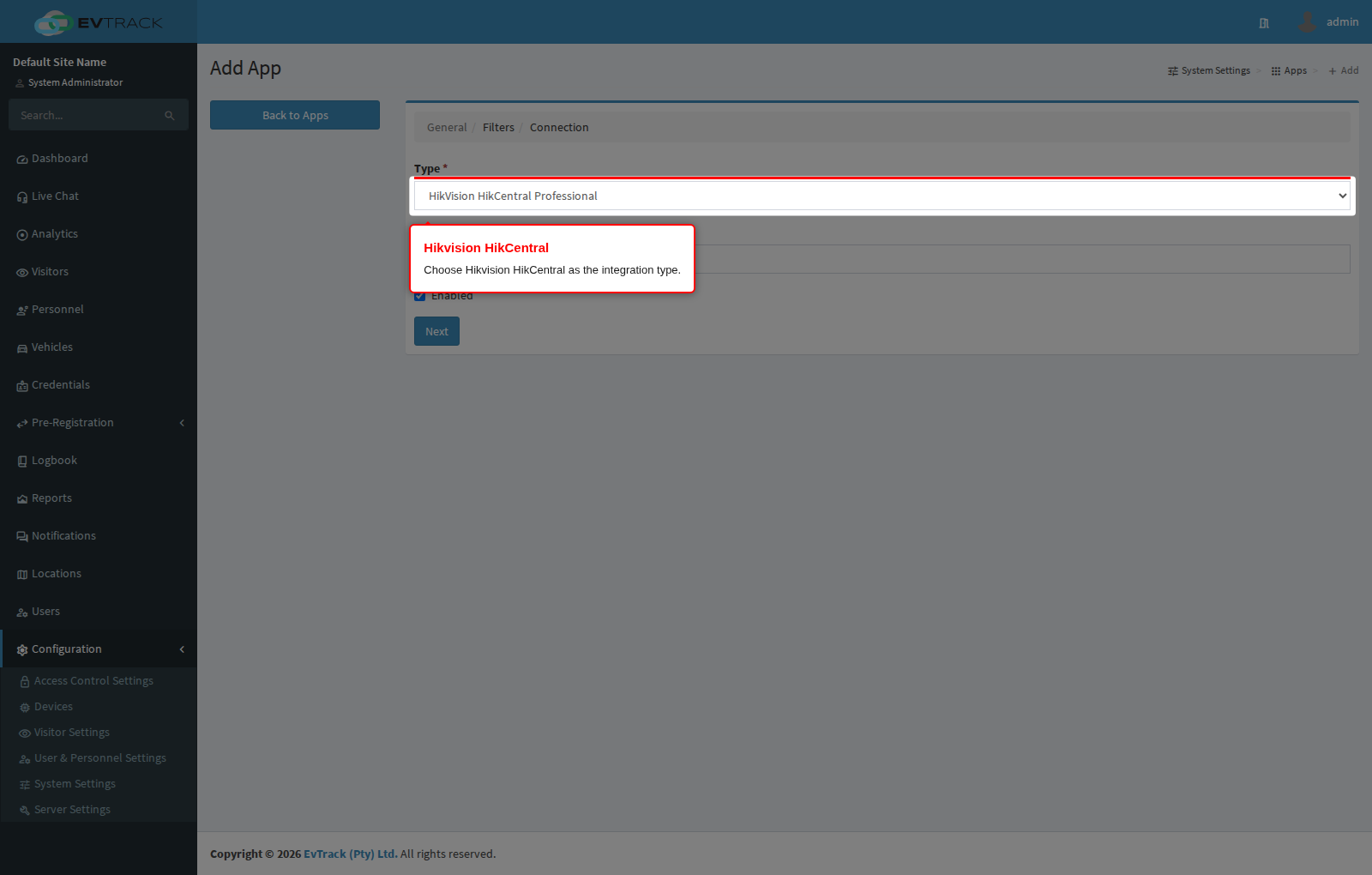
Open Configuration > System Settings > Apps and click Add, then choose HikVision HikCentral Professional from the integration catalogue.
Step 2: Configure the connection
Give the integration a name and complete the connection settings - the HikCentral URL, the App Key and App Secret, and the synchronisation options. Saving the integration verifies the connection.
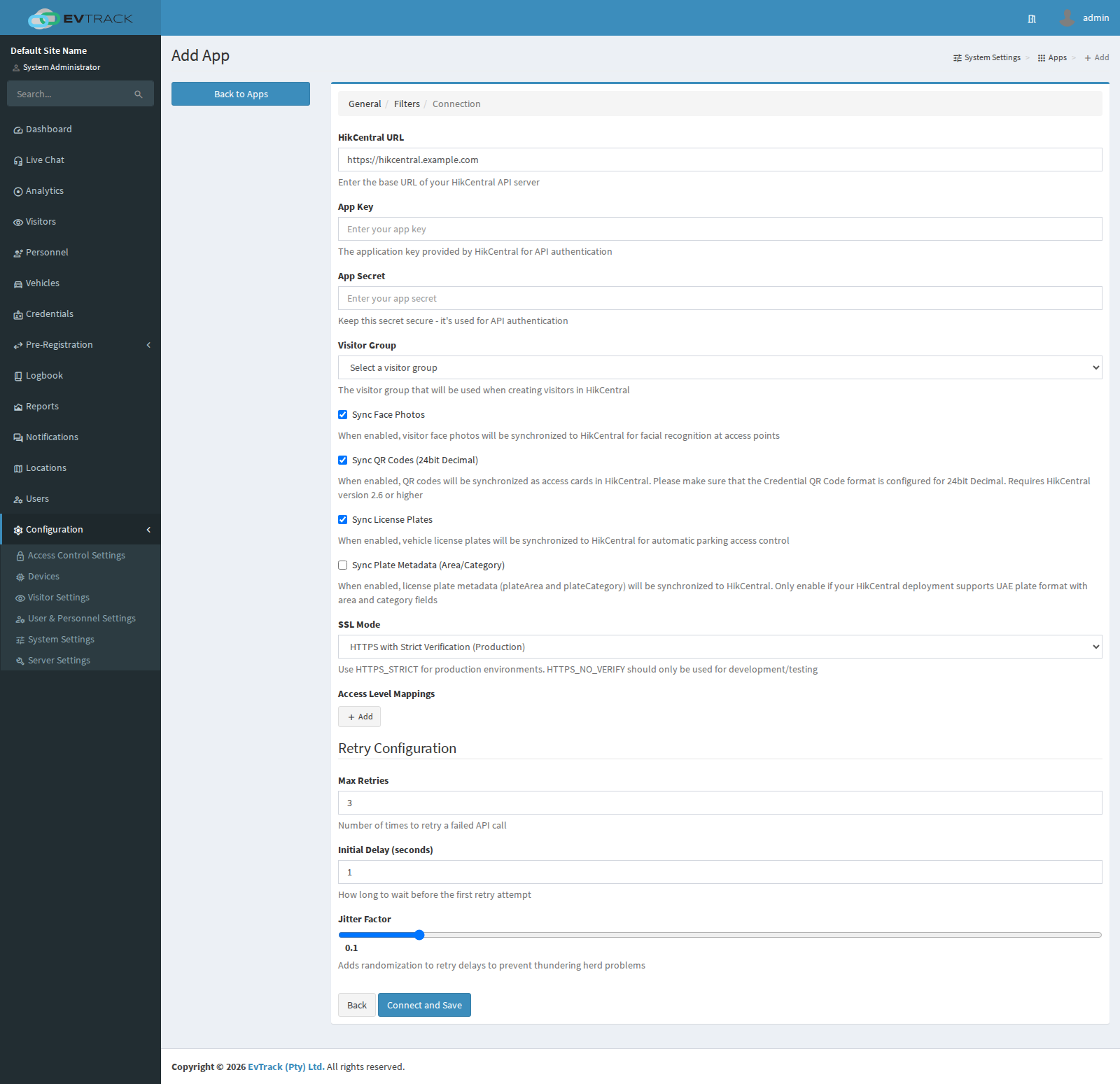
Once enabled, visitor check-in registers the person and credentials in HikCentral, and check-out withdraws them (configurable).
Privilege groups are reconciled, not only added to. On check-in, and again whenever the visit is edited, EvTrack works out which privilege groups the visit should hold from the access control lists its current status and its location grant, then adds the visitor to the groups that are missing and removes them from the mapped groups they should no longer be in. Only the groups named in the integration’s own access level mapping are touched, so groups you manage by hand in HikCentral are left alone. Two consequences to expect: a visit that should hold nothing is removed from every mapped group rather than left as it was, and editing a visitor’s details produces one reconciliation for each of that visitor’s open visits.