Hosts - the users being visited - are kept informed automatically. This page explains what a host receives and where it is configured; the settings live under Configuration > Visitor Settings > Visitor Emails > Host Notifications.
What hosts receive
- Arrival notifications - when their visitor checks in (at the kiosk, via the guard app or by an operator), the host gets an email so they can meet the visitor
- Hardware movement events - where access control readers are wired in, hosts can be notified on ENTRY and EXIT events at the readers
- Approval requests - when Host Approval is enabled, the request-and-approve email flow described there
- Invitation copies - hosts can be CC’d on the invitations sent to their visitors; when a delegate invites on a host’s behalf, the delegate is CC’d on the visitor’s emails
Where it is configured
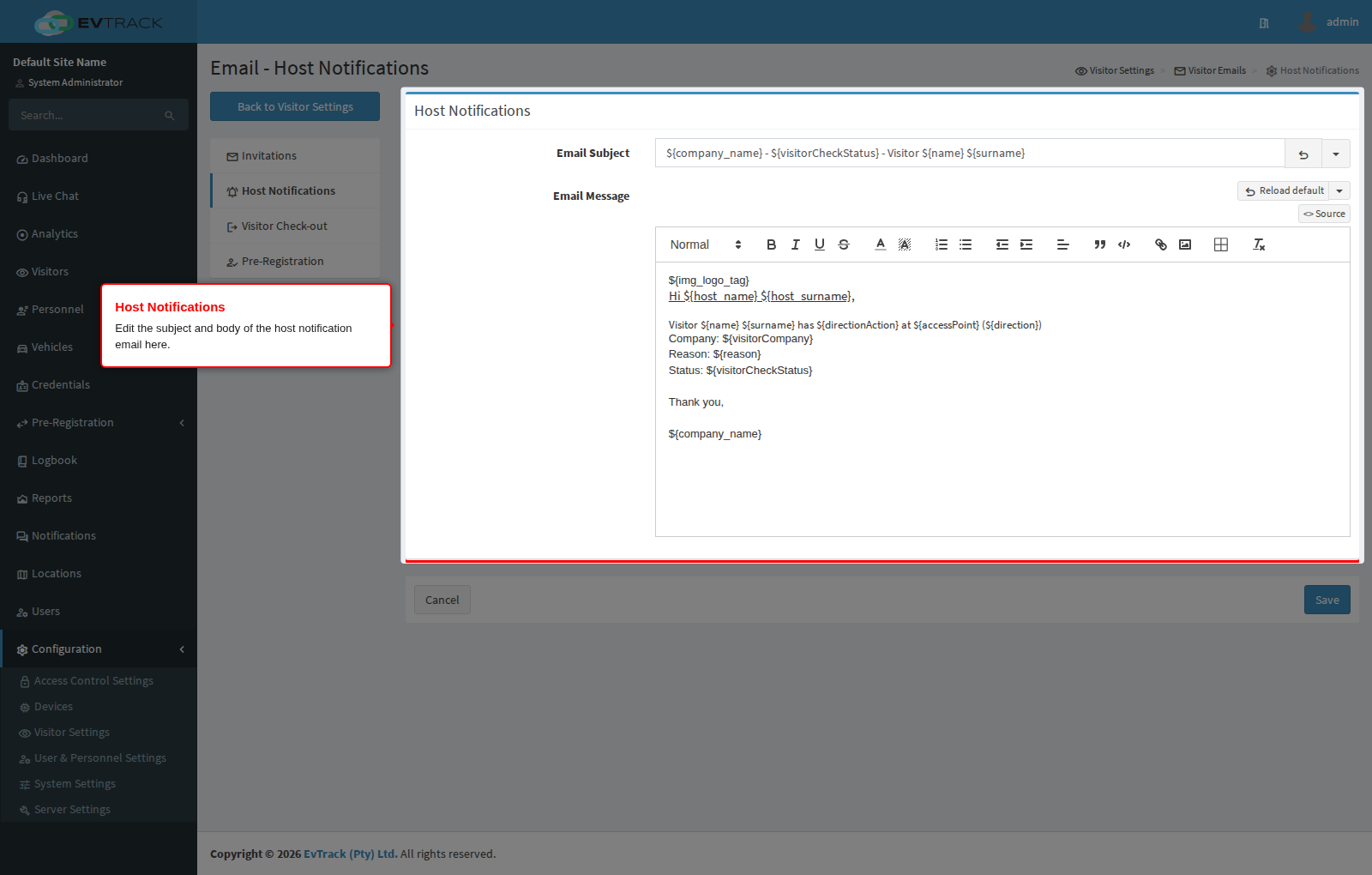
To reach the templates and toggles, open Configuration > Visitor Settings > Visitor Emails, then select Host Notifications in the page menu:
Note: delivery depends on the host user having a valid email address on their profile, and on the server’s email settings (Server Settings). If hosts report missing notifications, verify their address and check the mail server’s deliverability first.