Every visit is recorded against a location, and reports and access rules depend on it being right. This page explains how a FrontDesk kiosk decides which location a registration or a check-in belongs to.
Before you start:
- You can edit visitor settings.
- The kiosk’s device record has a Location, see Register the Device and Get Its Key.
Step 1: Open Location
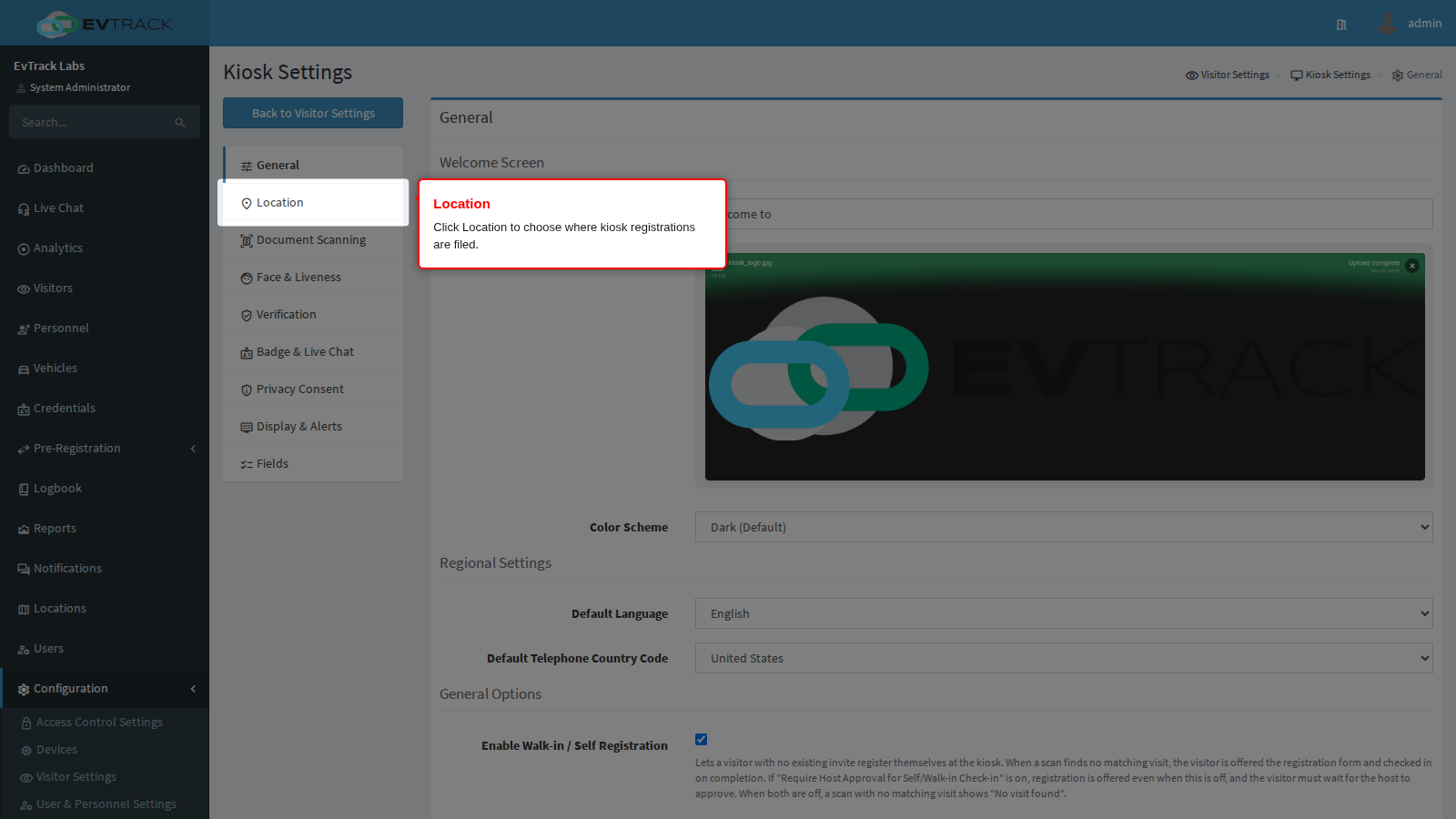
Go to Configuration > Visitor Settings, click the Kiosk tile, and choose Location in the kiosk menu on the left.
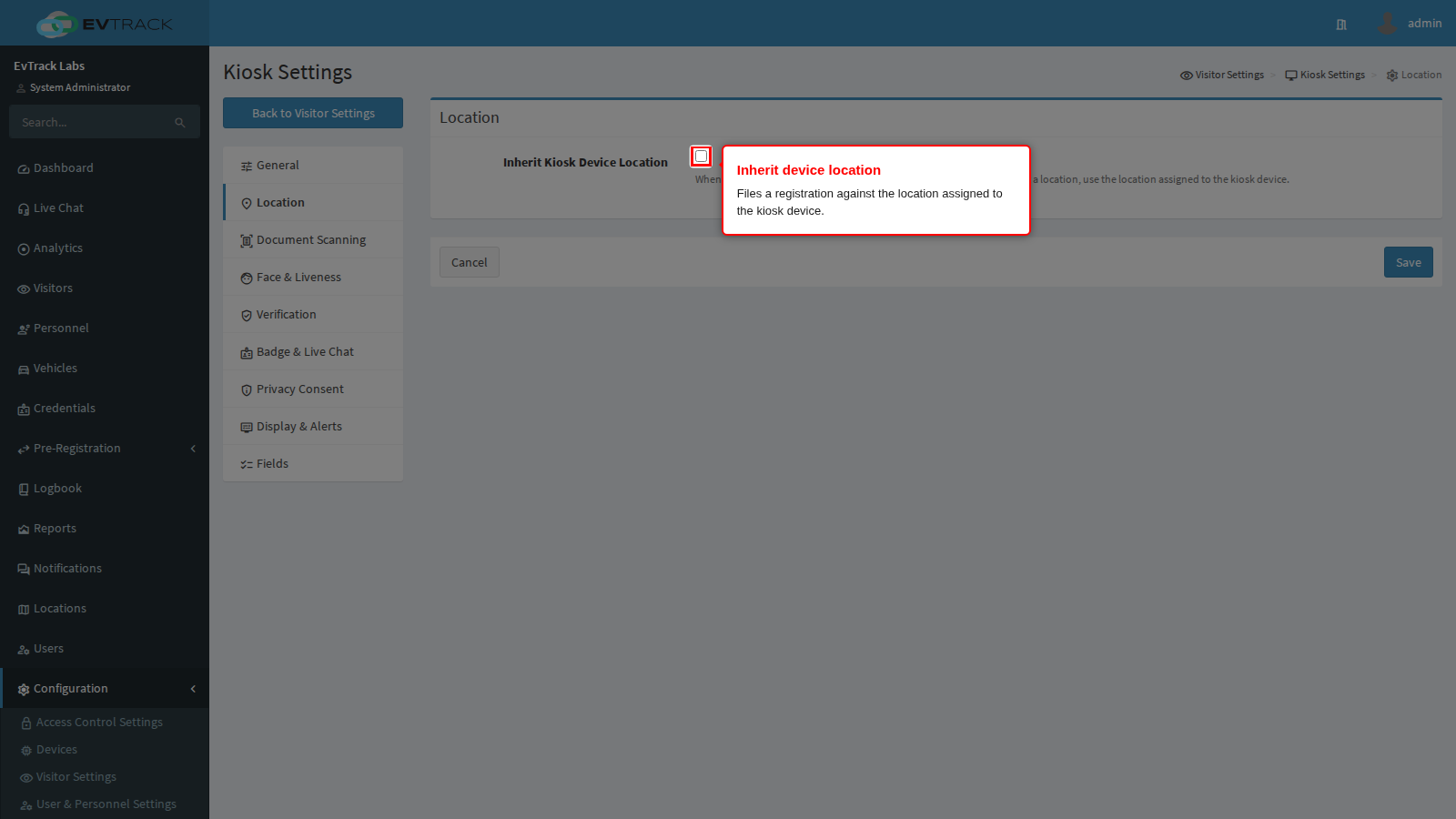
Inherit Kiosk Device Location
Off by default. The help text reads: “When a kiosk submits a registration or checks in an invited visitor without a location, use the location assigned to the kiosk device.”
Turn it on at a multi-site installation, so the kiosk in the Training Center lobby files its visitors against Training Center without anyone choosing it.
It is a fallback, never an override. It applies only to a visitor arriving (IN), never to a departure. It never replaces a location the visitor chose or the visit already carries, and an access control point set to Update Location on IN still wins.
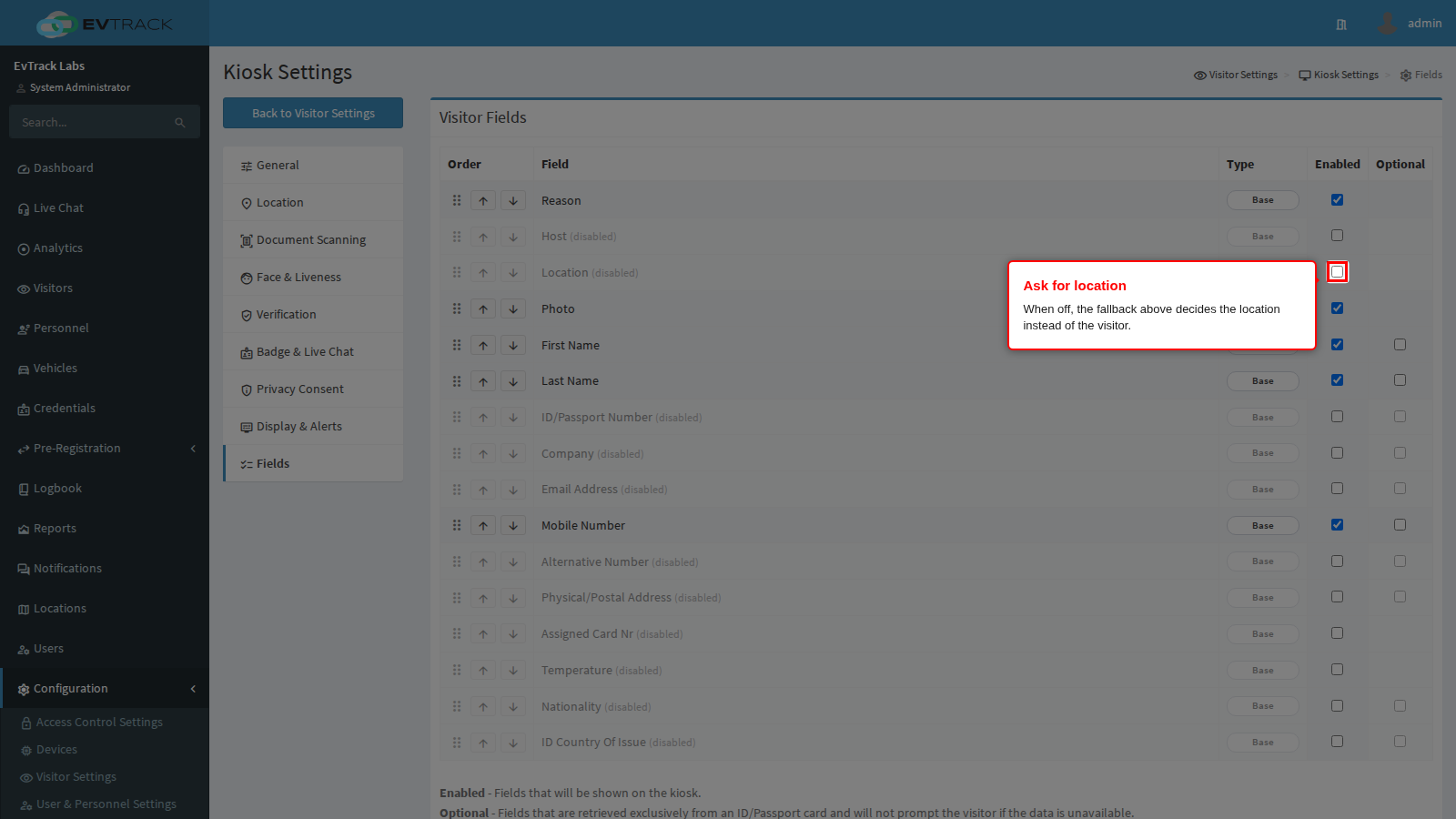
The Location field
The fallback matters only when the visitor is not given a location of their own. Whether the kiosk asks is the Location row on the Fields panel of the kiosk menu: its Enabled tick adds a required Location question to the registration form (see Fields and Required Fields).
What the kiosk files a registration against:
| Location field | Inherit Kiosk Device Location | Registration is filed against |
|---|---|---|
| On (the visitor must choose) | Either | The visitor’s choice |
| Off | On | The kiosk device’s location |
| Off | Off | No location |
A registration with no location is the result to avoid. Switch the field on and let the visitor choose, or switch it off and rely on the device. Do not leave both off.
Where the device location is set
On the device record, in Configuration > Access Control Settings > Devices: open the kiosk (here “Lobby Kiosk”) and use the Location select on its General panel.
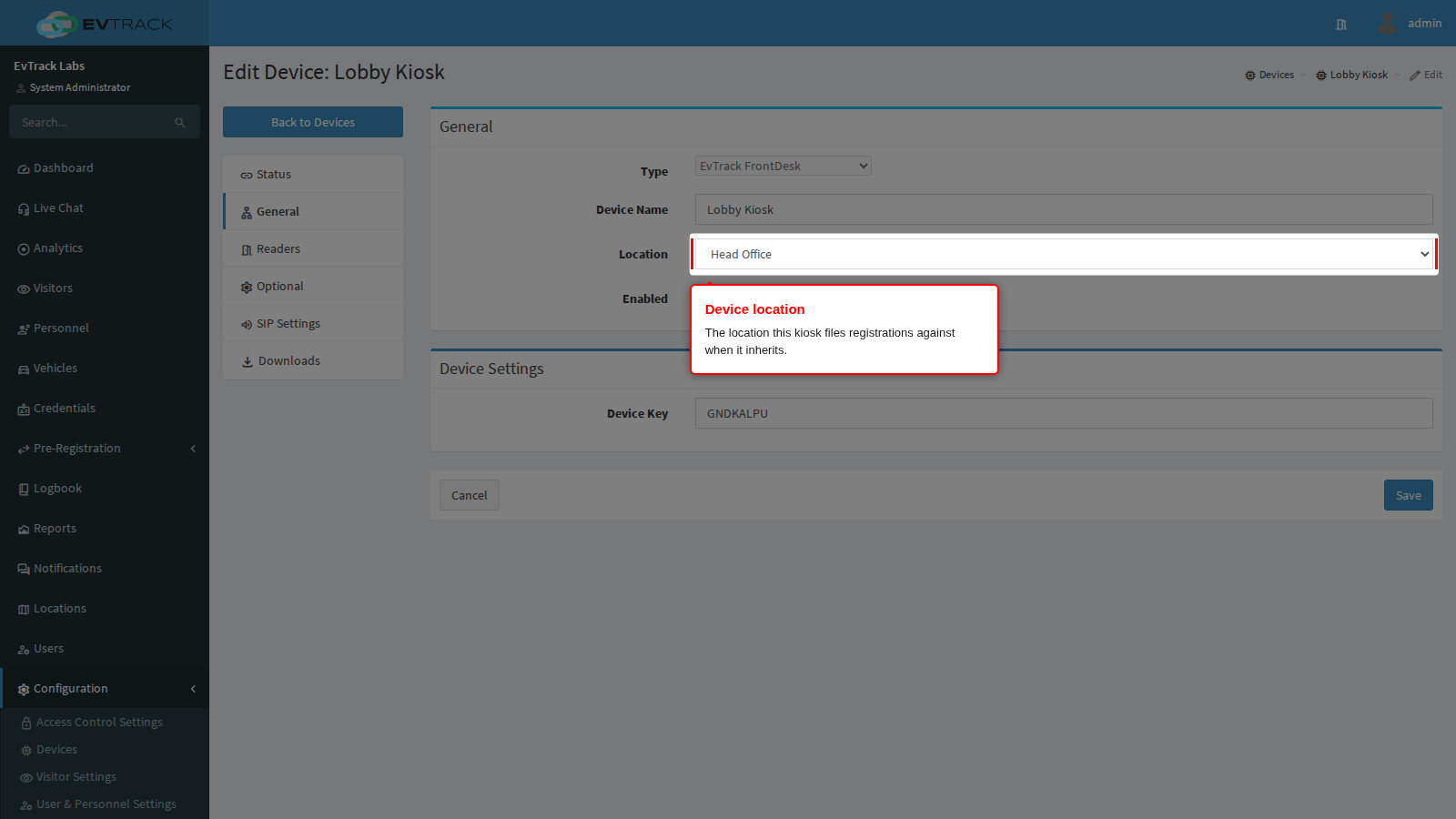
That one device location does more than supply this fallback. The kiosk also takes its branding and its field list from it, whether or not Inherit Kiosk Device Location is on. See Register the Device and Get Its Key for creating the record.
End state: with the device location assigned and the fallback on, every kiosk registration that arrives without a location lands on the right site with no visitor input.